AniLedger Desktop — User Guide
Complete guide to the AniLedger Desktop companion app for veterinary practices, facilities, and power users. The desktop app is free and syncs in real time with the mobile app.
📖 Table of Contents
Getting Started
The AniLedger Desktop app is a free companion to the mobile app — designed for veterinary practices, facilities, and anyone who needs a full-screen view of their animal records. Everything syncs in real time between desktop and mobile via your AniLedger account.
- Download the desktop app from the AniLedger desktop page.
- Install and launch the application.
- Sign in with the same email and password you use on the mobile app.
- Your animals, records, and all data will sync automatically.
Dashboard
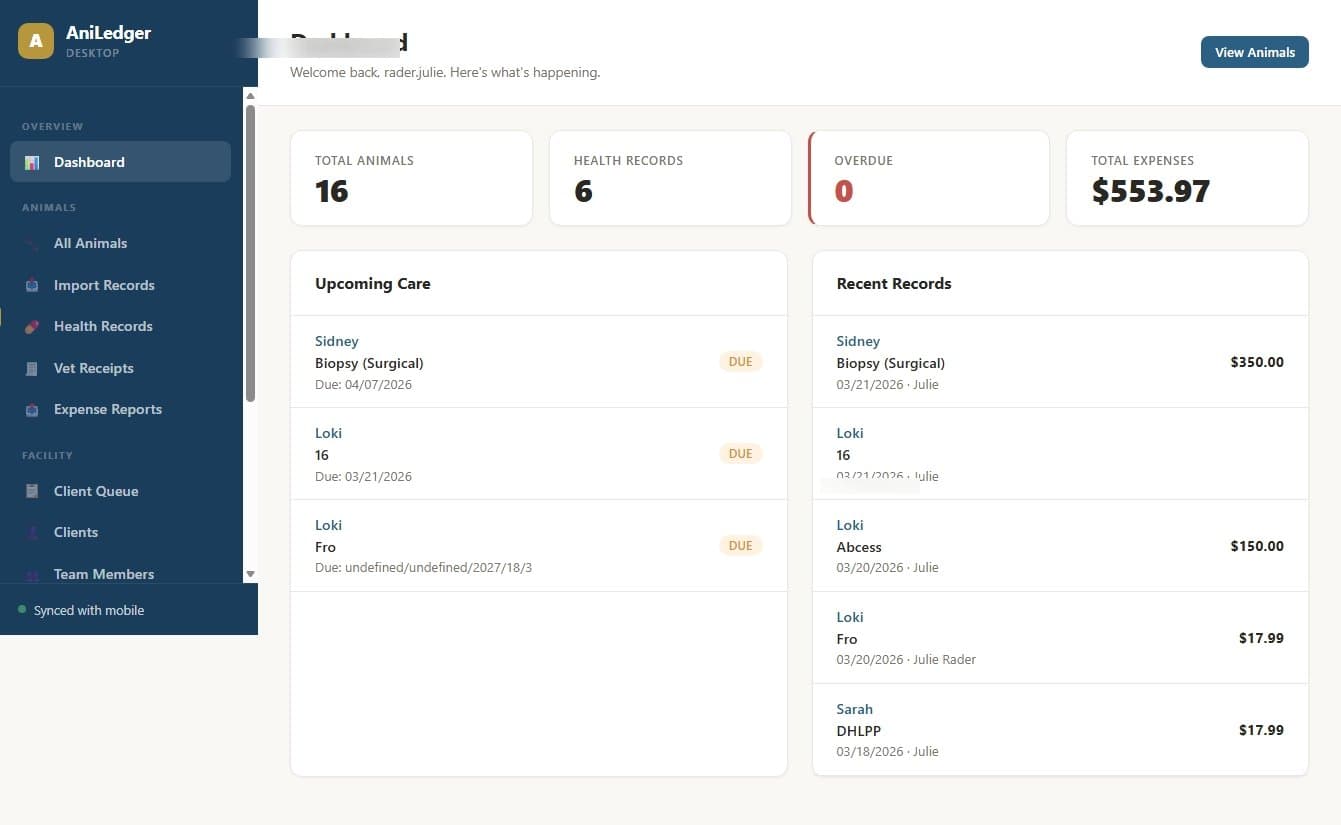
The dashboard gives you a daily overview of your practice or facility — upcoming appointments, recent activity, animals that need attention, and quick stats.
- Daily appointment summary with check-in status
- Recent health records and activity feed
- Quick stats: total animals, active medications, upcoming boosters
- Alerts for overdue items
Animal Management
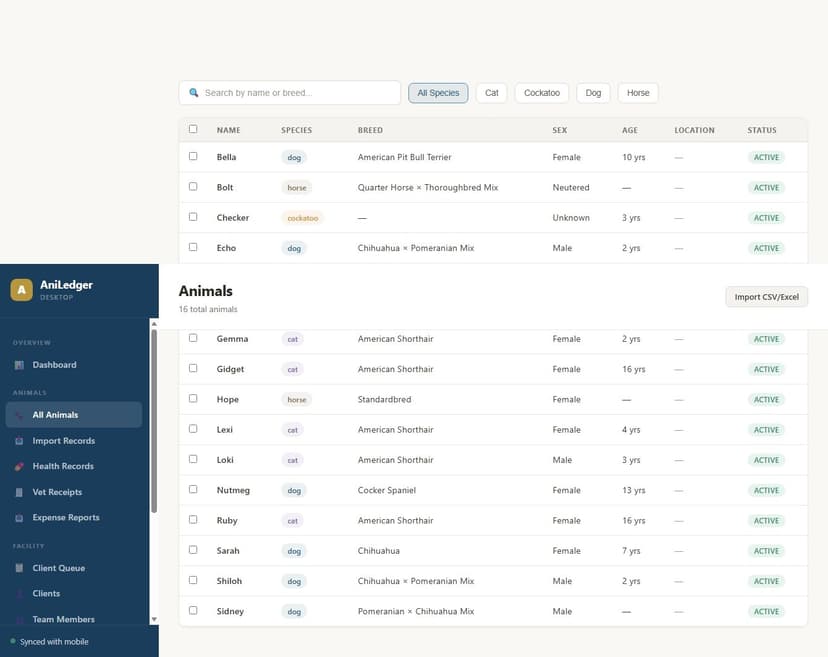
View all your animals in a full table layout. Search, filter by species, sort by name or date, and click any animal to view their complete profile.
- Table view with sortable columns (name, species, breed, age, status)
- Search by name, breed, or microchip number
- Filter by species, status (active/archived), or group
- Click to view full animal profile with health records, medications, and documents
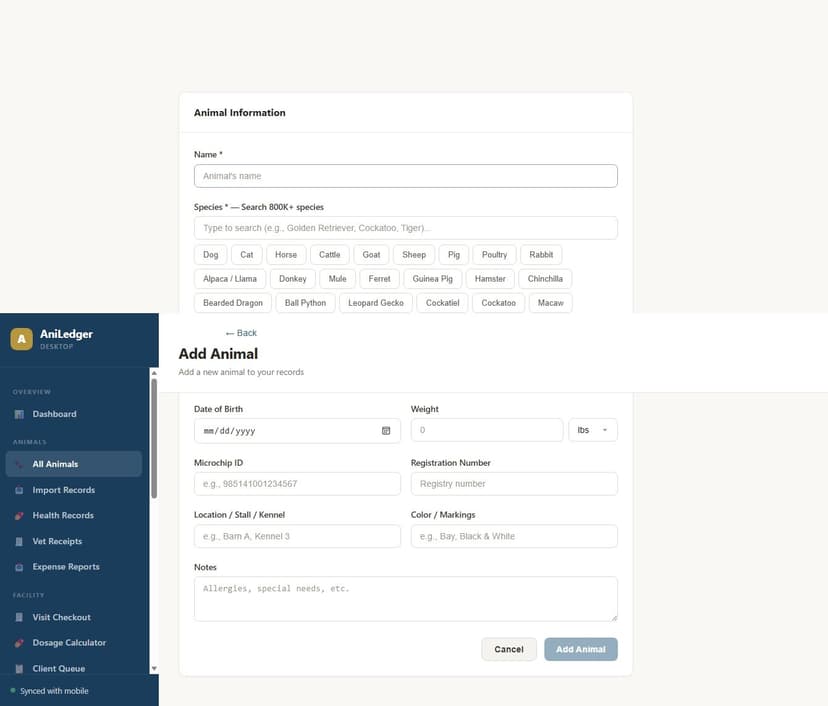
- Add new animals with breed picker and photo upload
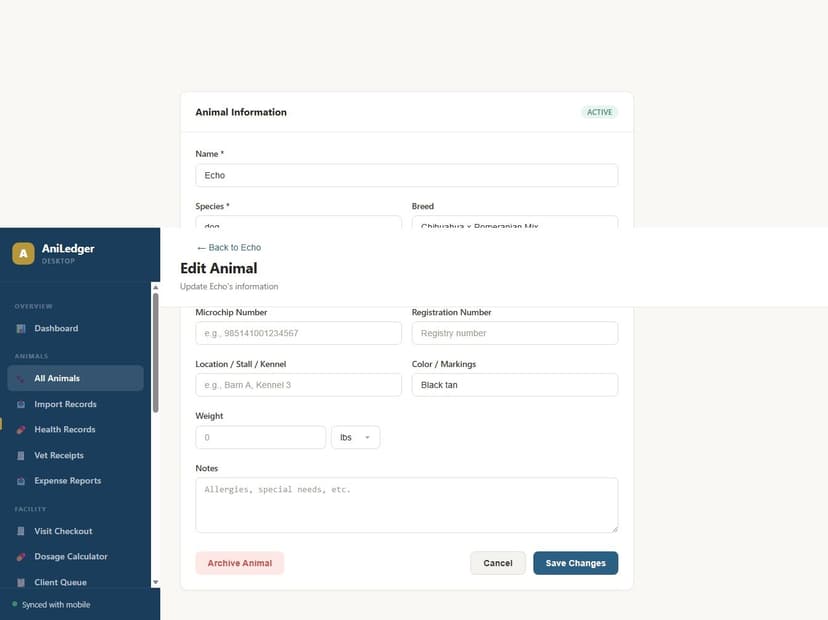
- Edit animal details inline
Health Records
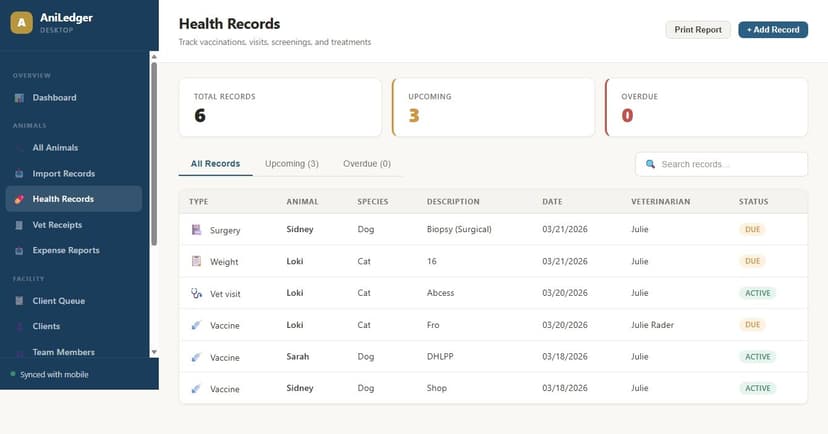
View and add health records across all animals. The desktop view shows records in a chronological table with filtering by type, animal, and date range.
- Full health record timeline for each animal
- Filter by record type: vaccines, medications, surgeries, blood work, etc.
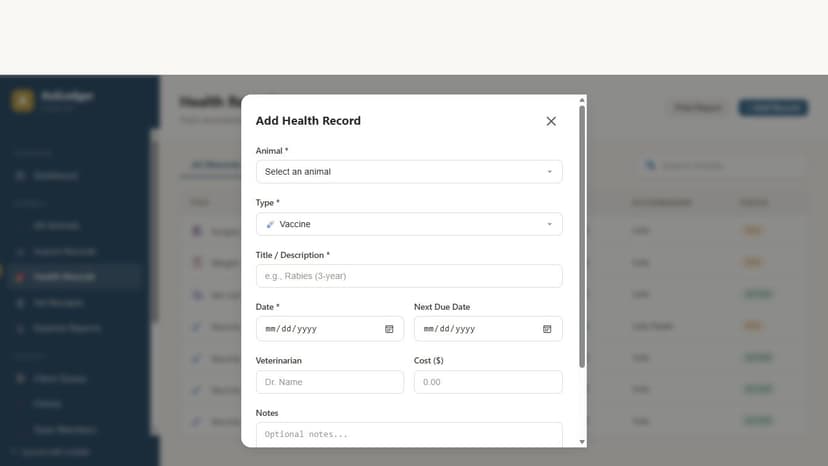
- Add records with the same form as mobile — date, vet name, cost, notes
- Print or export individual records or full history as PDF
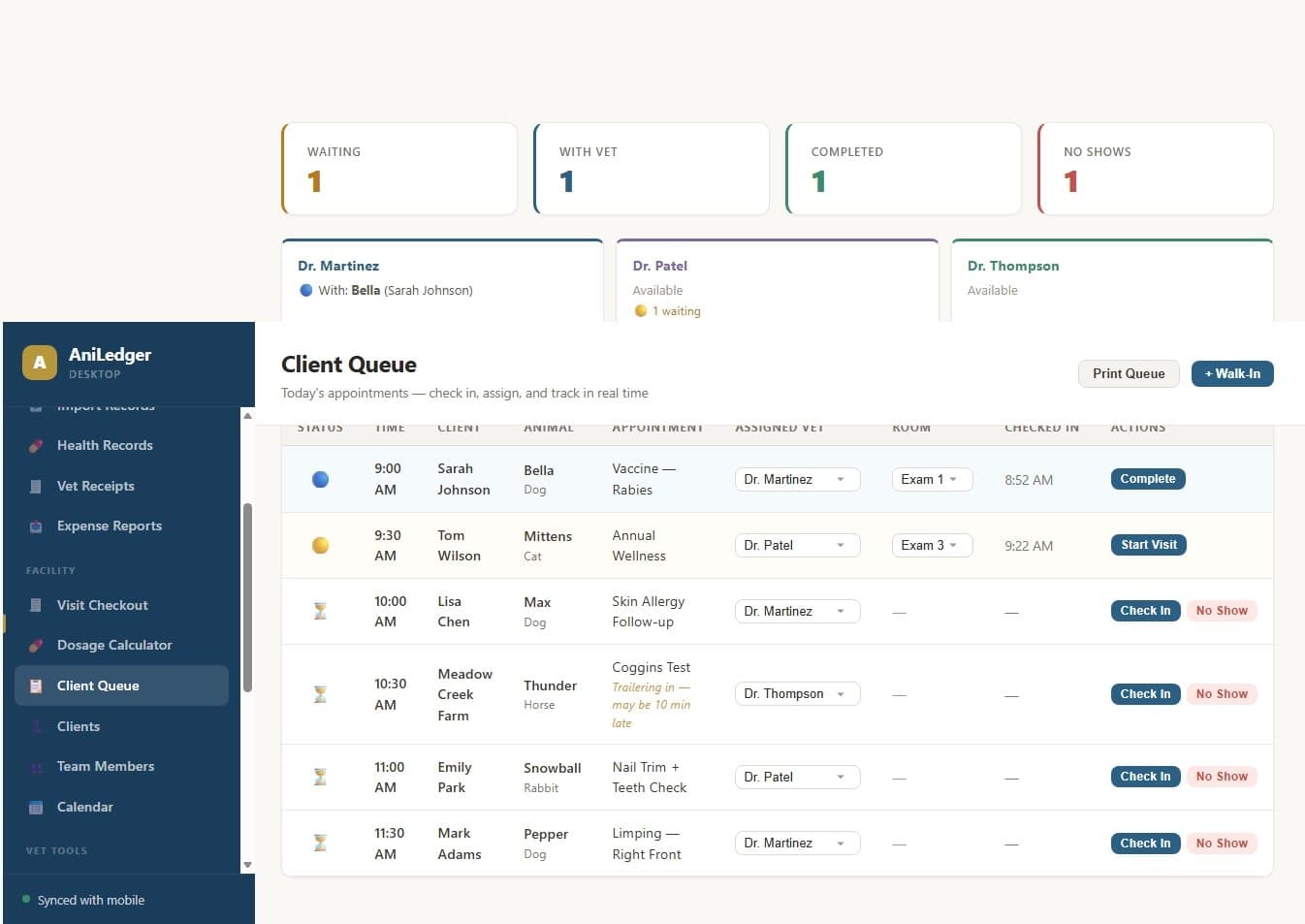
Client Queue
The client queue is the heart of a busy veterinary practice. Track patients through the entire visit flow: check-in → waiting → with vet → completed or no-show. Desktop receptionists manage the queue while vets see real-time status on their phones.
- Drag-and-drop or one-click status changes
- Statuses: Waiting, In Progress, Completed, No-Show
- Assign a vet to each patient
- Real-time sync — vet sees status changes on mobile instantly
- Color-coded cards for quick visual scanning
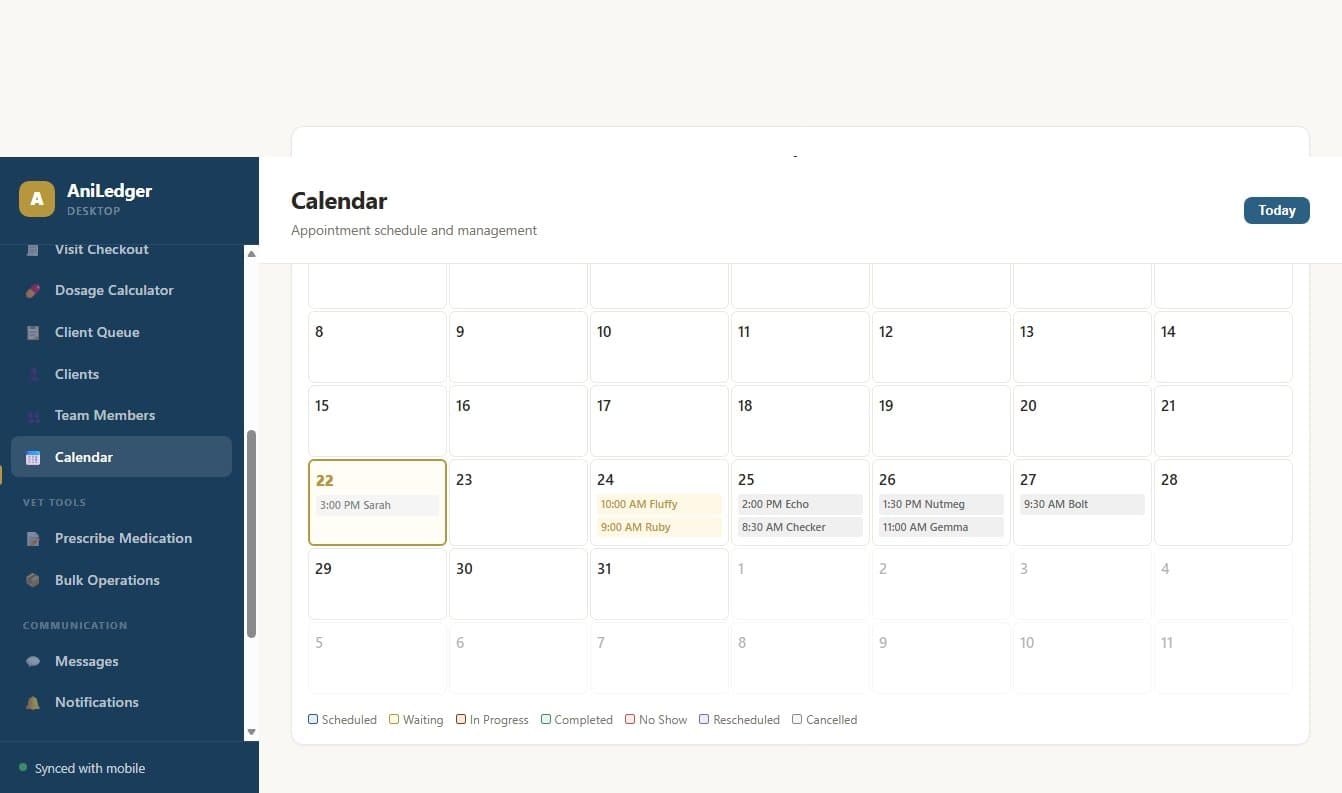
Calendar & Scheduling
View all appointments in a calendar layout. Vets can schedule appointments from mobile and they appear here instantly. Receptionists can manage the schedule from the desktop.
- Day, week, and month calendar views
- Appointments color-coded by type (wellness, sick visit, surgery, etc.)
- Click an appointment to view patient details
- Synced with mobile — appointments created on either device appear on both
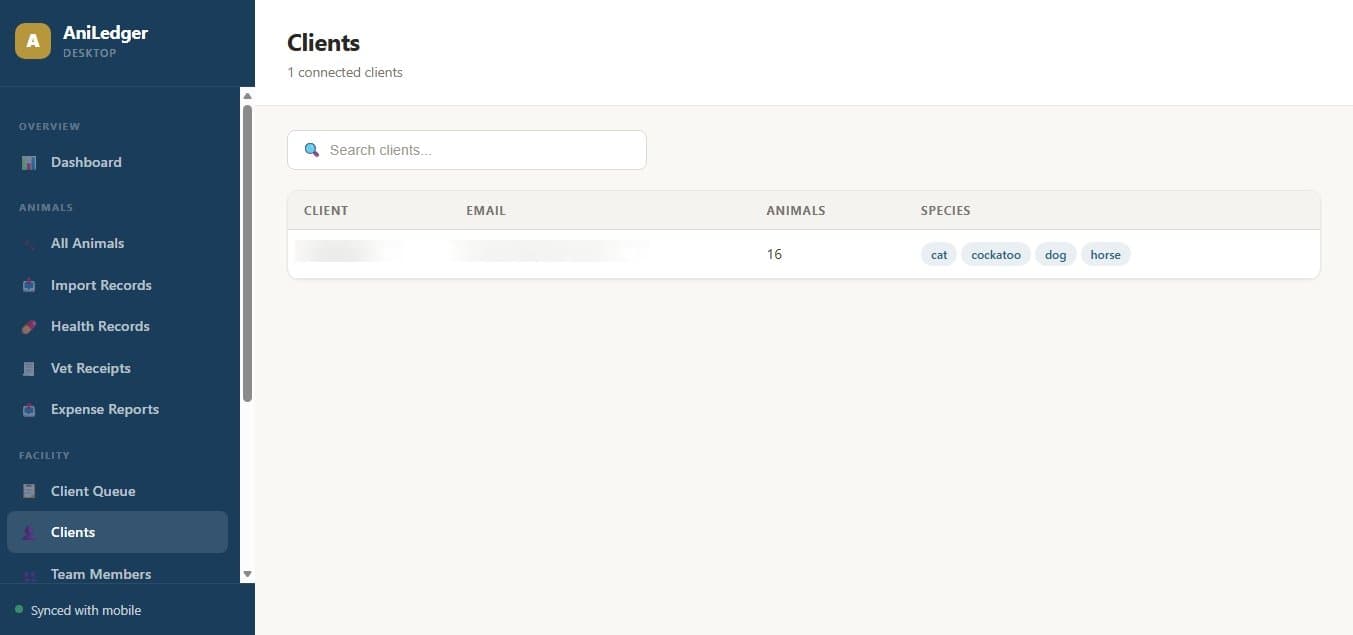
Client Management
View all connected clients (both vet clients and facility clients) in one place. Search by name, phone, or email. Click a client to see their animals and contact information.
- Toggle between Vet Clients and Facility Clients
- Search by name, phone number, or email
- View client's connected animals with health status
- Add new clients inline
- Contact information and visit history
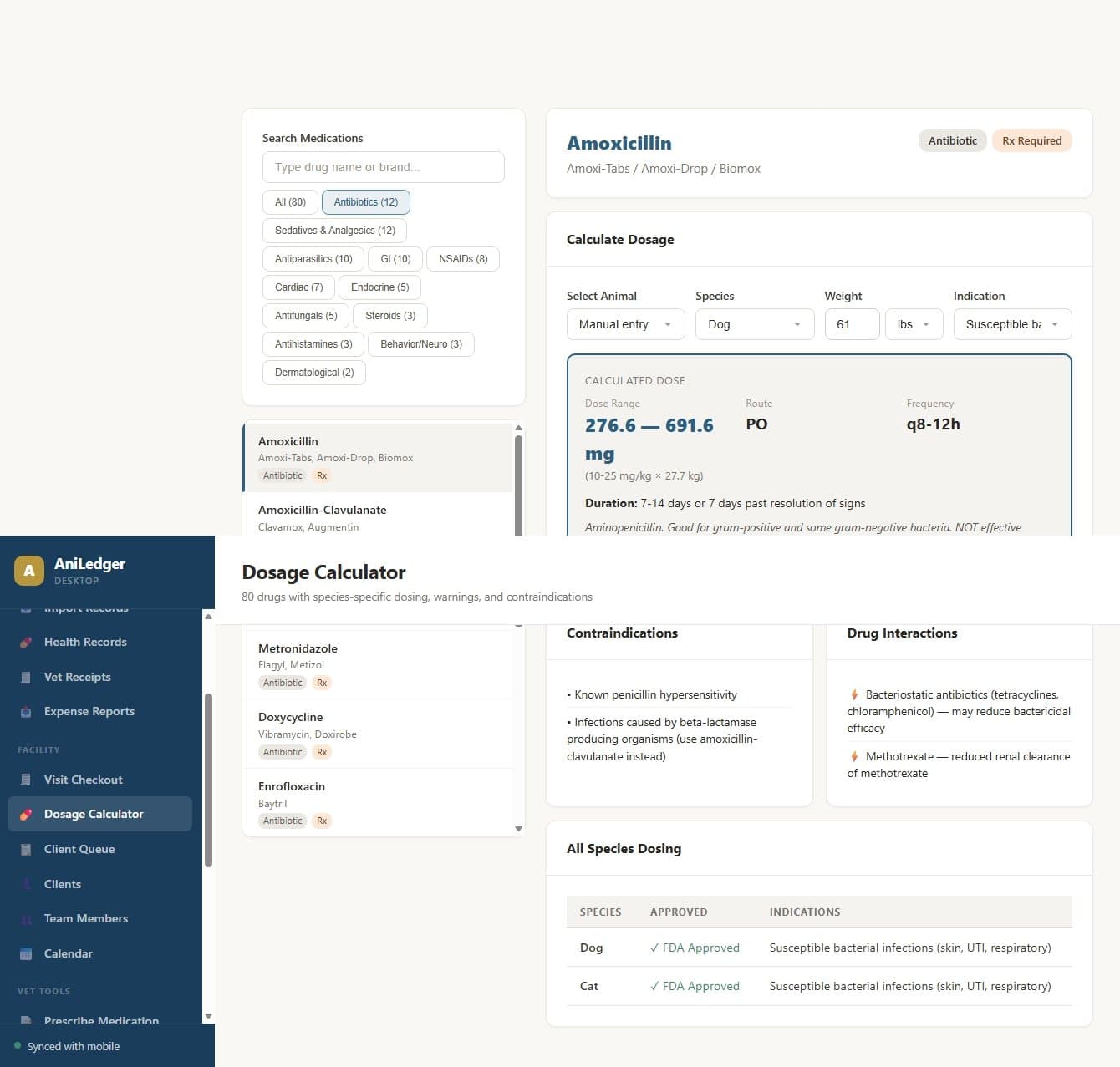
Prescriptions & Dosage Calculator
Prescribe medications with a built-in smart dosage calculator. Select from 80+ common veterinary drugs with species-specific, weight-based dosing recommendations. Send prescriptions directly to the client's pharmacy.
- Search 80+ drugs by name with species filter
- Weight-based dosage calculator with recommended dose range
- Select form (tablet, liquid, injection), route, frequency
- Contraindications and drug interactions shown automatically
- Send to pharmacy or add to patient record
Visit Checkout & Receipts
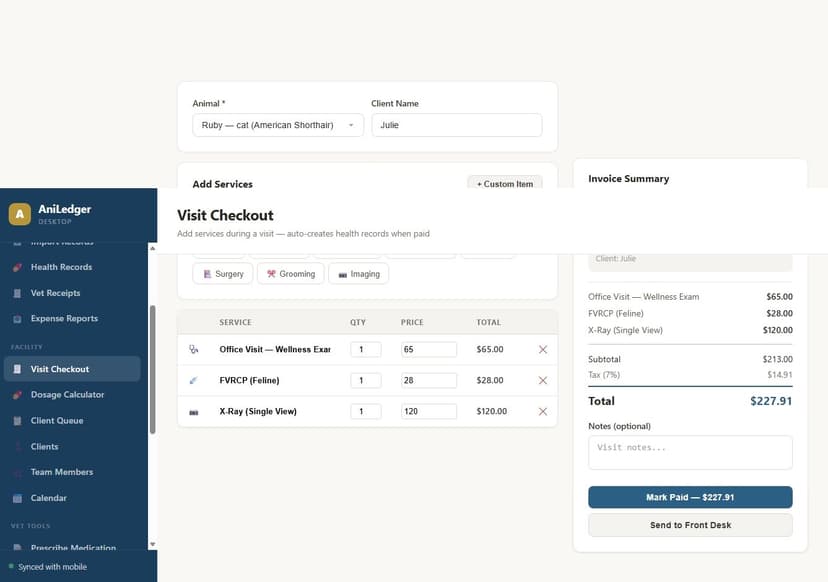
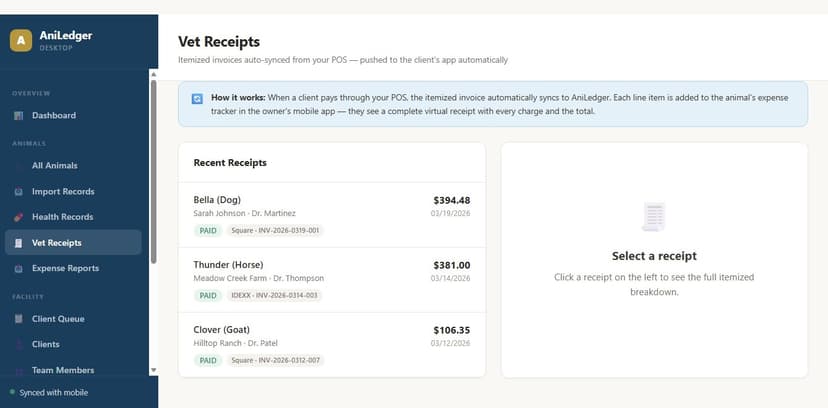
Complete the visit with an itemized checkout. Line items for exam fees, medications, procedures, and supplies. Receipts auto-push to the client's mobile app as virtual receipts in their expense tracker.
- Itemized invoice builder with prices and quantities
- Tax calculation
- Payment status tracking
- Auto-push receipt to client's mobile app
- Receipt history searchable by client, date, or amount
Compliance Hub
The desktop Compliance Hub gives you a full-screen view of your compliance status. Generate facility-wide bulk reports that cover all your animals in one download — essential for facilities with hundreds or thousands of animals.
- Compliance score dashboard with color-coded status
- Full compliance record table with search and filters
- Generate bulk reports: Compliance Summary, Herd Register, Movement Log, Medicine Book
- Scope options: All Animals (facility-wide) or filter by species
- Print, save as PDF, or download as CSV
- Preview reports before printing
- Movement log with origin/destination tracking
- Premises ID management (PIC, CPH, PID, NAIT)
Team Members
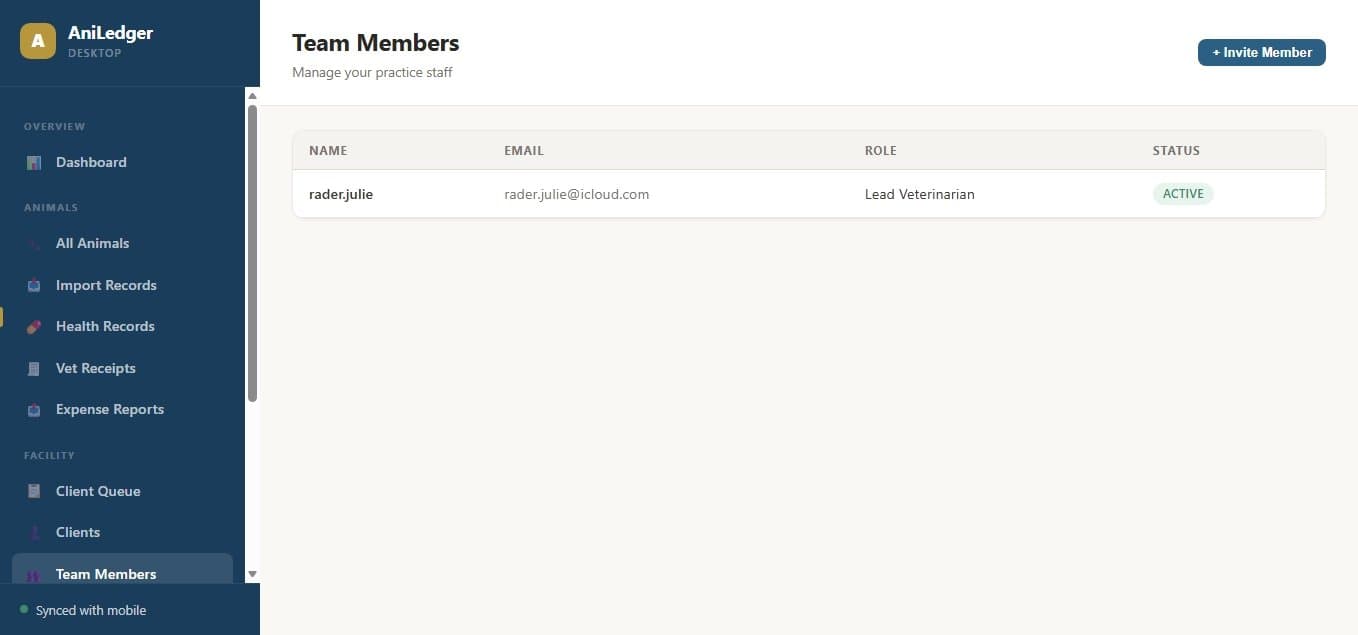
Manage your practice or facility team. Add DVMs, vet techs, receptionists, and support staff with role-based access.
- View all team members with role and availability status
- Add new team members with role assignment
- Change roles (owner, manager, vet, vet tech, receptionist, staff)
- Track who's available, away, or off duty
Data Import
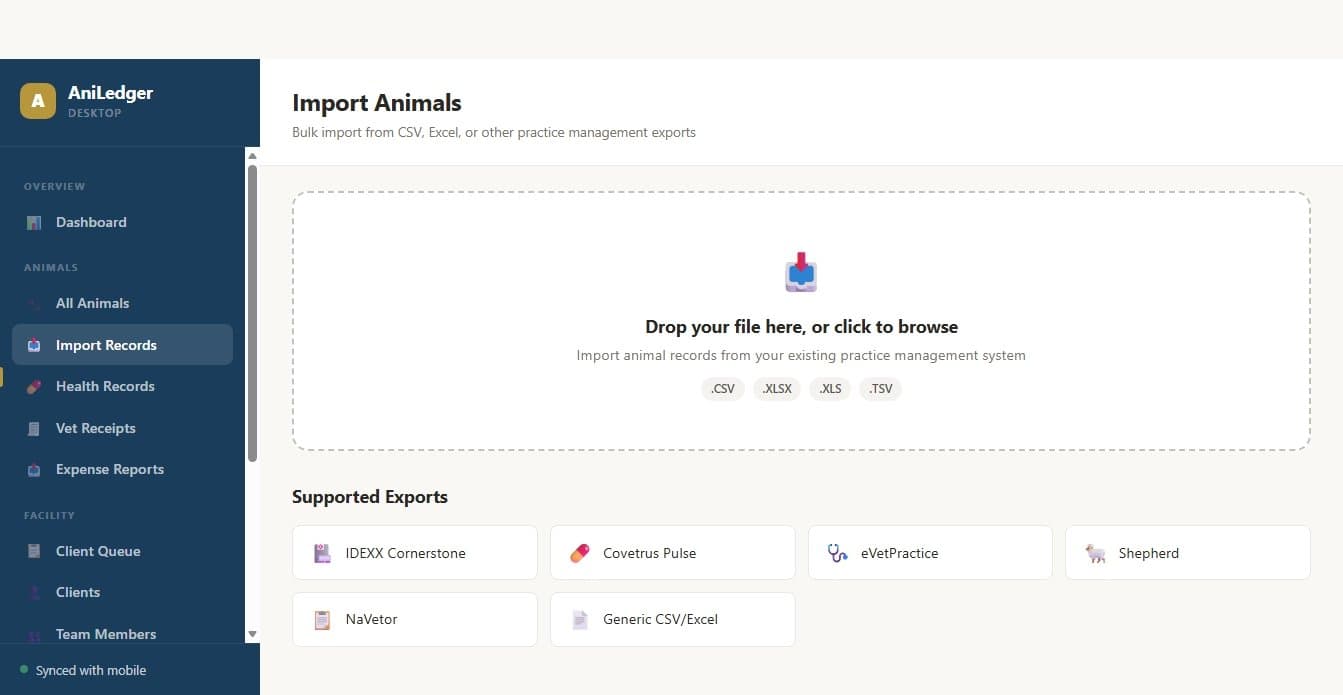
Import animal records from existing systems. Upload CSV or Excel files and AniLedger will map your columns automatically. Supports bulk import of animals, health records, medications, lineage data, and client lists.
- Upload CSV or XLSX files
- Smart column auto-mapping (matches your column names to AniLedger fields)
- Preview imported data before confirming
- Import types: Animals, Health Records, Medications, Lineage/Pedigree, Clients
- Duplicate detection prevents creating duplicates
Bulk Operations
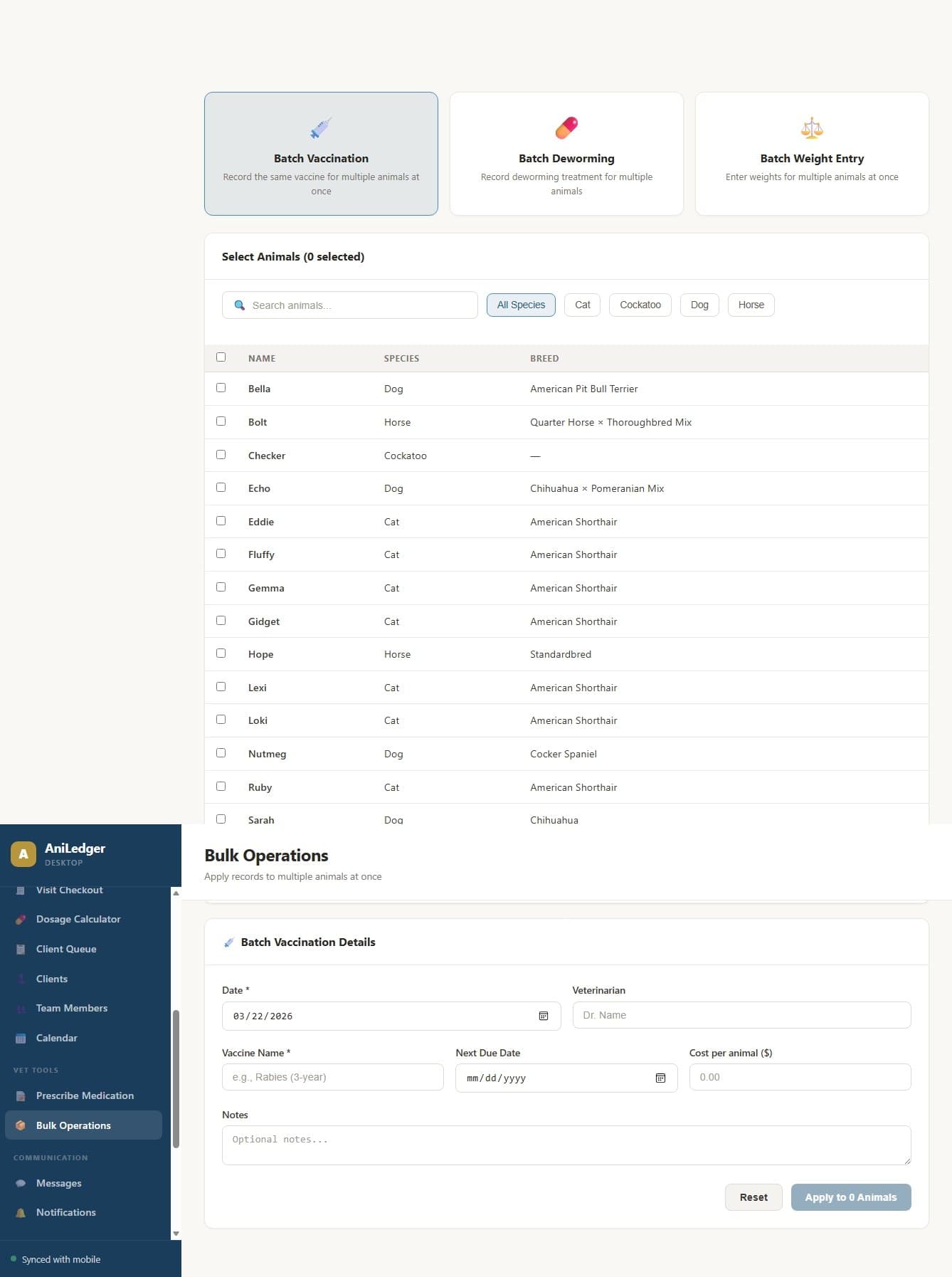
Perform actions on multiple animals at once. Essential for facilities managing herds or flocks.
- Bulk vaccination — record the same vaccine for a group of animals
- Bulk medication — apply treatments to multiple animals
- Bulk weight entry — log weights for a batch in one session
- Select animals individually or by species/group
Expense Reports
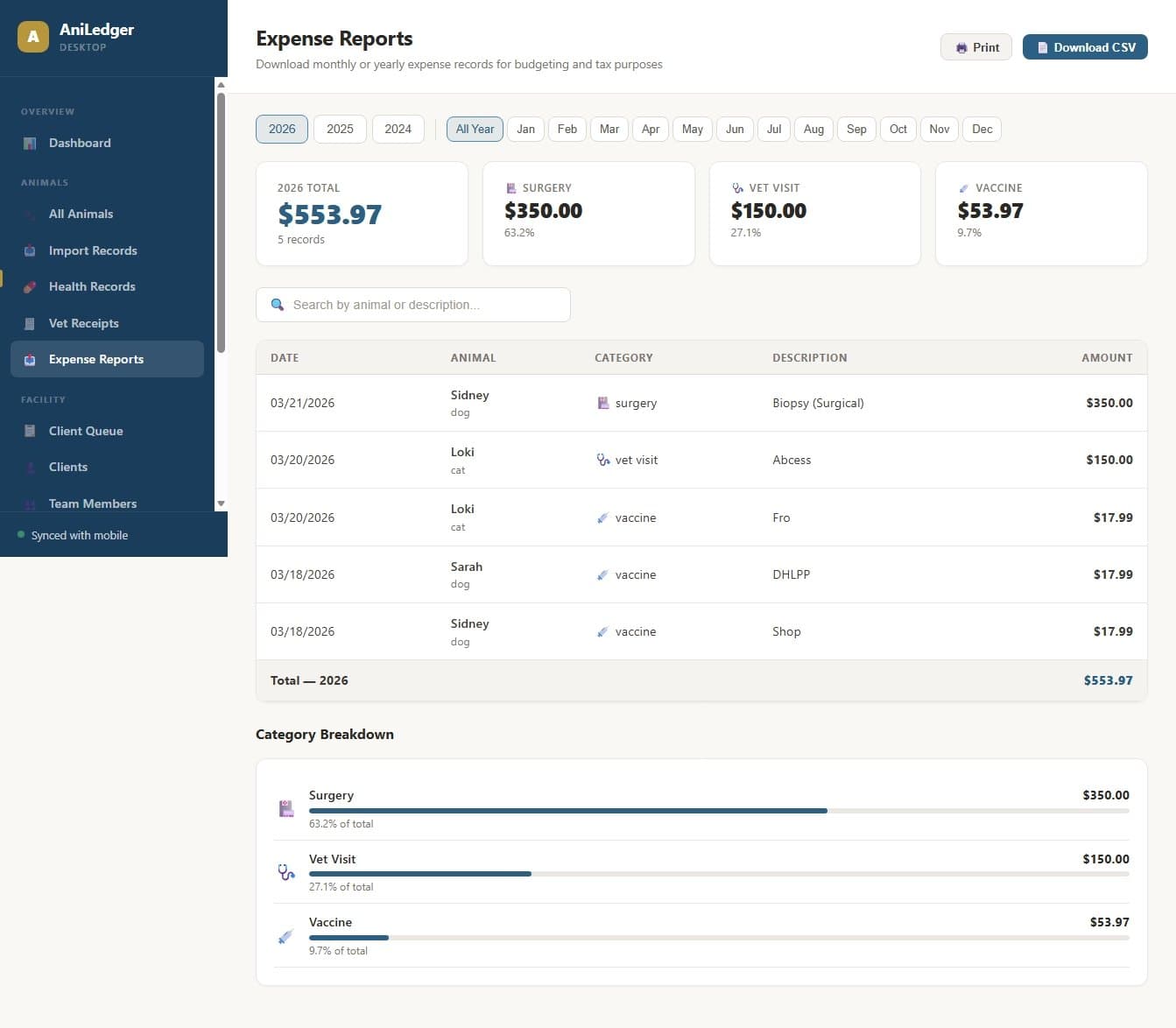
View expense summaries across all animals with charts and downloadable reports. Filter by year, month, animal, or category.
- Monthly spending chart
- Breakdown by category (vet visits, vaccines, medications, surgery, etc.)
- Per-animal cost tracking
- Download CSV reports for accounting or tax preparation
Messaging
Communicate with clients directly from the desktop. Messages are organized by animal and synced with the mobile app in real time.
- Client message inbox organized by animal
- Photo and video sharing
- Read receipts
- All messages synced between desktop and mobile
POS Integration
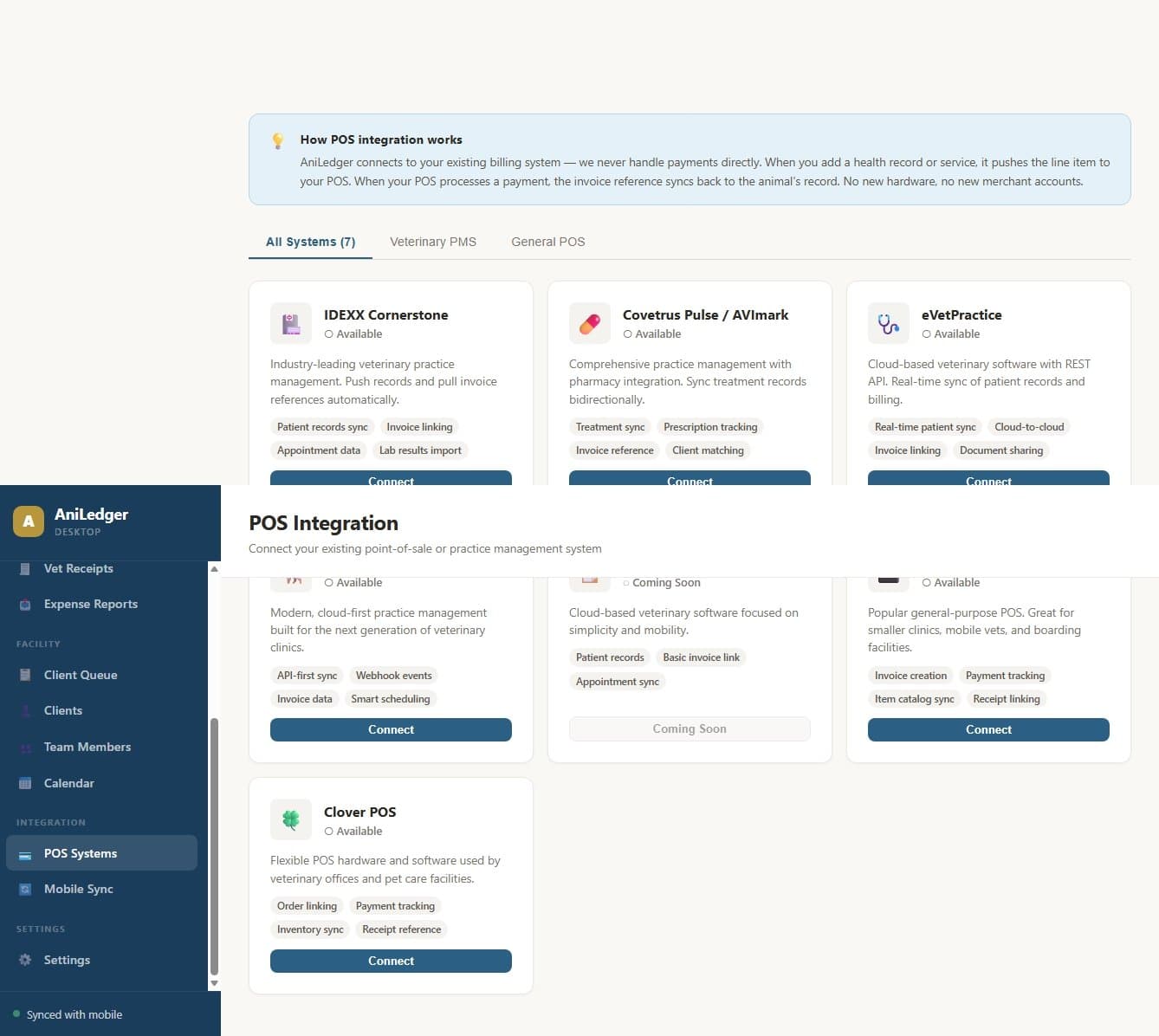
Connect your existing point-of-sale system so receipts auto-sync. Square is the reference integration, with IDEXX, Covetrus, eVetPractice, Shepherd, and Clover connectors planned.
- Square POS integration (reference implementation)
- Auto-import itemized transactions
- Receipt data pushes to client's mobile expense tracker
- Transaction history searchable by client or date
Settings
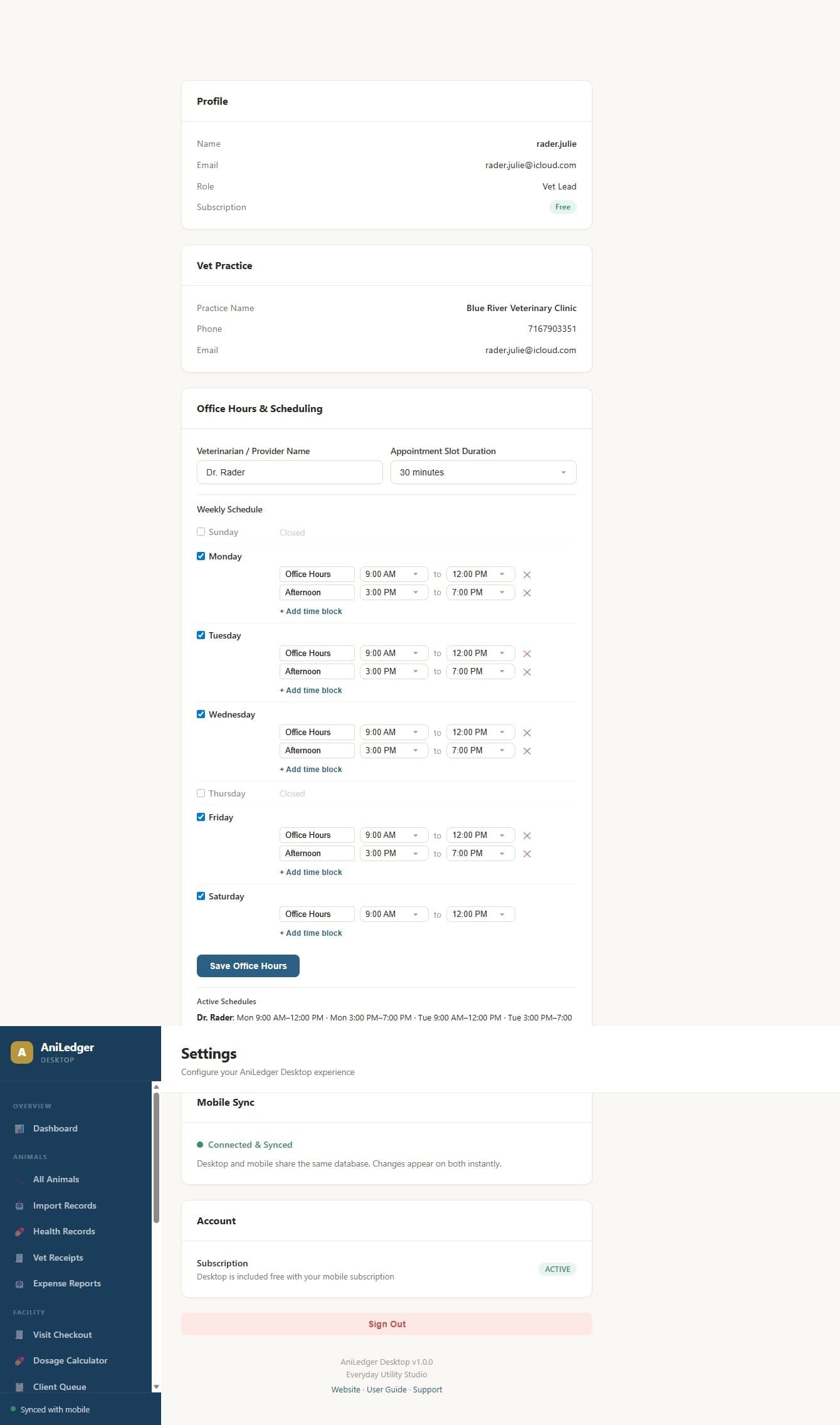
Configure your practice or facility settings including office hours, notification preferences, and sync status.
- Office hours setup
- Notification preferences
- Mobile sync status and diagnostics
- Account management