✅
Worldwide Compliance
Set up compliance tracking, view checklists, generate reports, log movements, and manage premises IDs for any country.
🌍What Is Compliance in AniLedger?
AniLedger is the only animal app with built-in compliance for every country. Whether you’re in the US, UK, EU, Canada, Australia, or anywhere else, AniLedger knows what compliance records you need and makes passing audits fast. The system covers 290+ regulatory requirements across 30+ countries — from USDA and DEFRA to WOAH and CITES.
- Auto-detects your country and shows exactly what’s required
- Covers USDA, DEFRA, EU Animal Health Law, CFIA, NLIS, WOAH, CITES, and more
- Clear checklists show exactly what to do with step-by-step instructions
- Generate audit-ready compliance reports in minutes, not hours
- Movement records, health certificates, medicine books, herd registers
- Premises registration tracking (PIC, CPH, PID, NAIT)
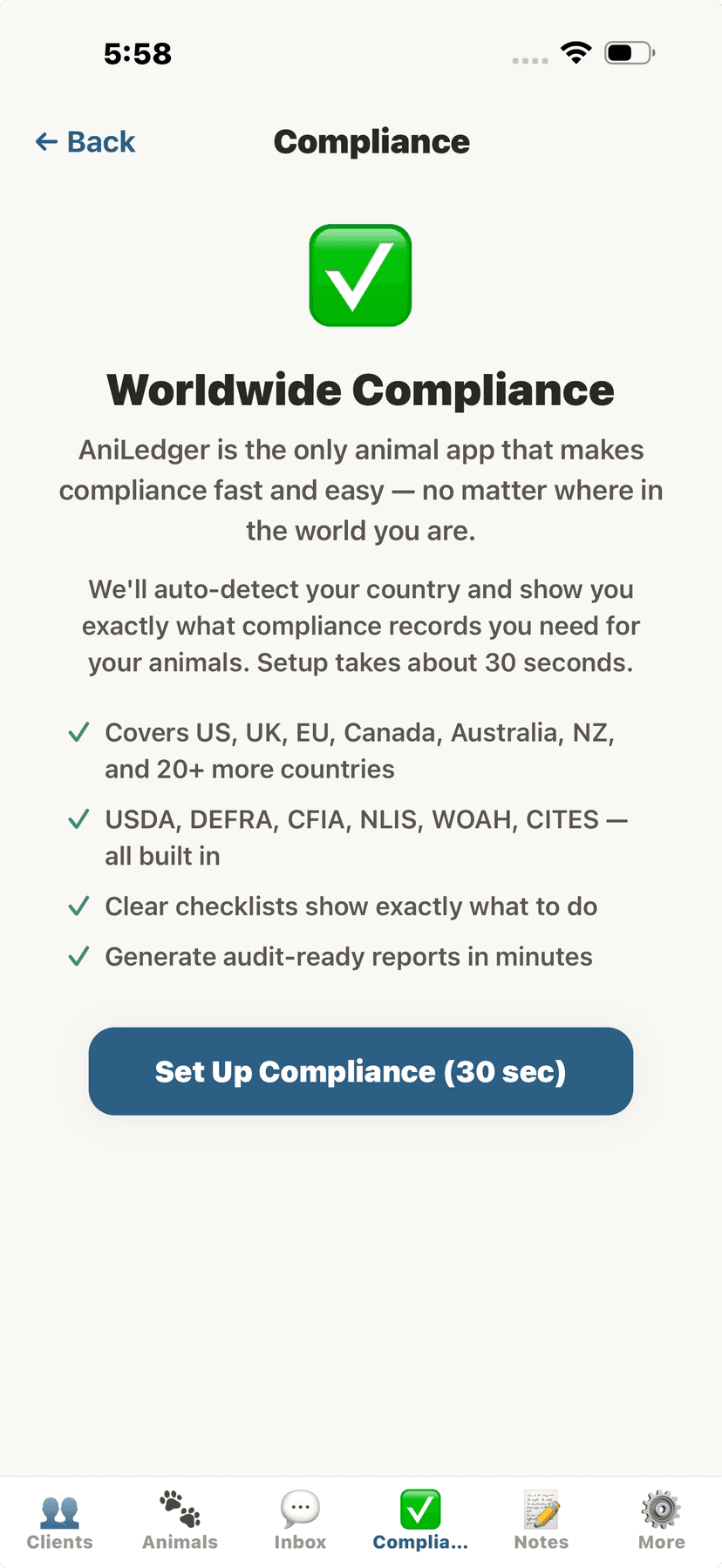
Worldwide compliance introduction
⚙️Setting Up Compliance
- Tap the Compliance tab (vet view) or the Compliance button on the Health Dashboard (owner view).
- Tap "Set Up Compliance (30 sec)".The setup wizard auto-detects your country from your device.
- Confirm your country and select your state/province if applicable.
- Confirm which animal categories you have.AniLedger auto-detects these from your animals. Add or remove as needed.
- Review the summary — AniLedger shows how many compliance requirements apply to you.
- Tap "Go to Compliance Dashboard" to start tracking.
💡
Setup only takes about 30 seconds. You can re-run it anytime from the gear icon on the Compliance screen.
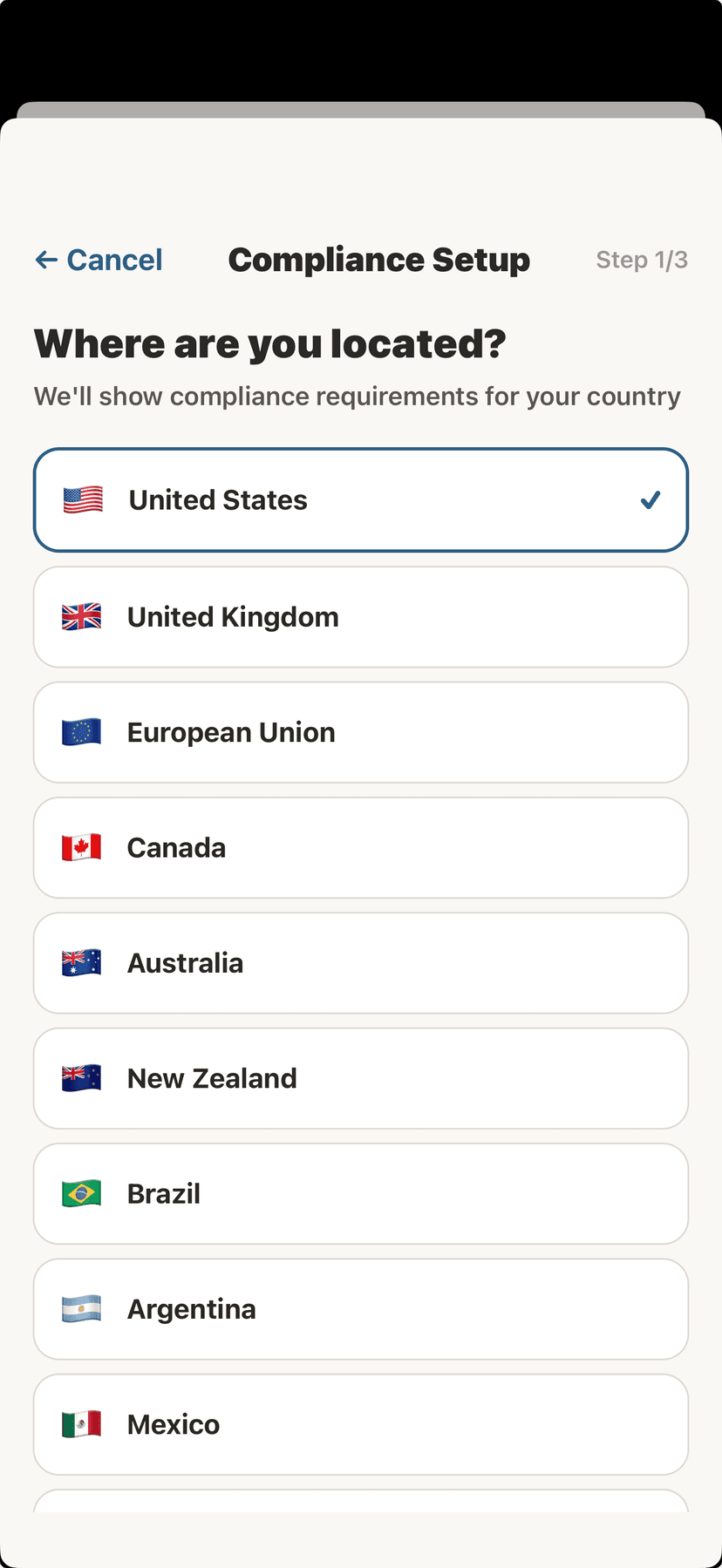
Select your country
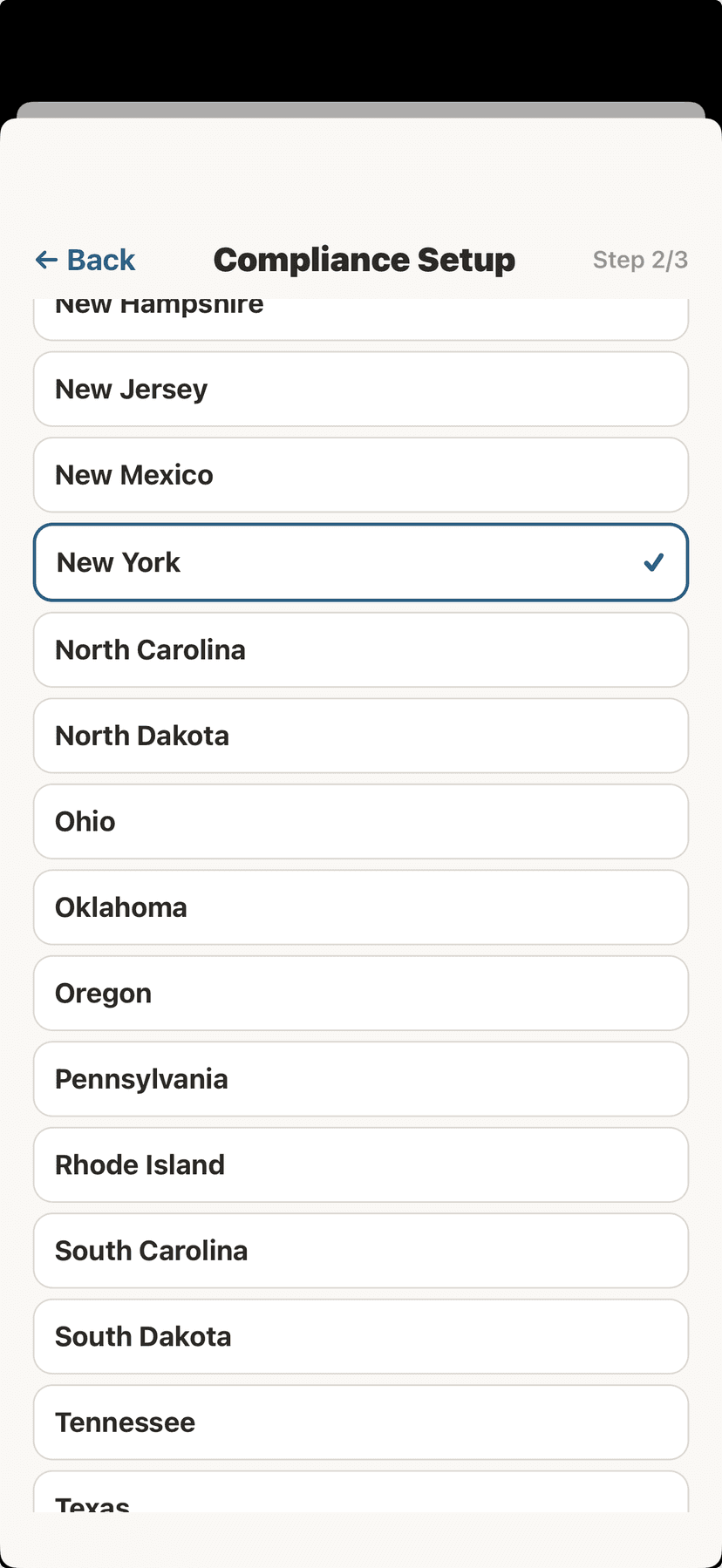
Select your state
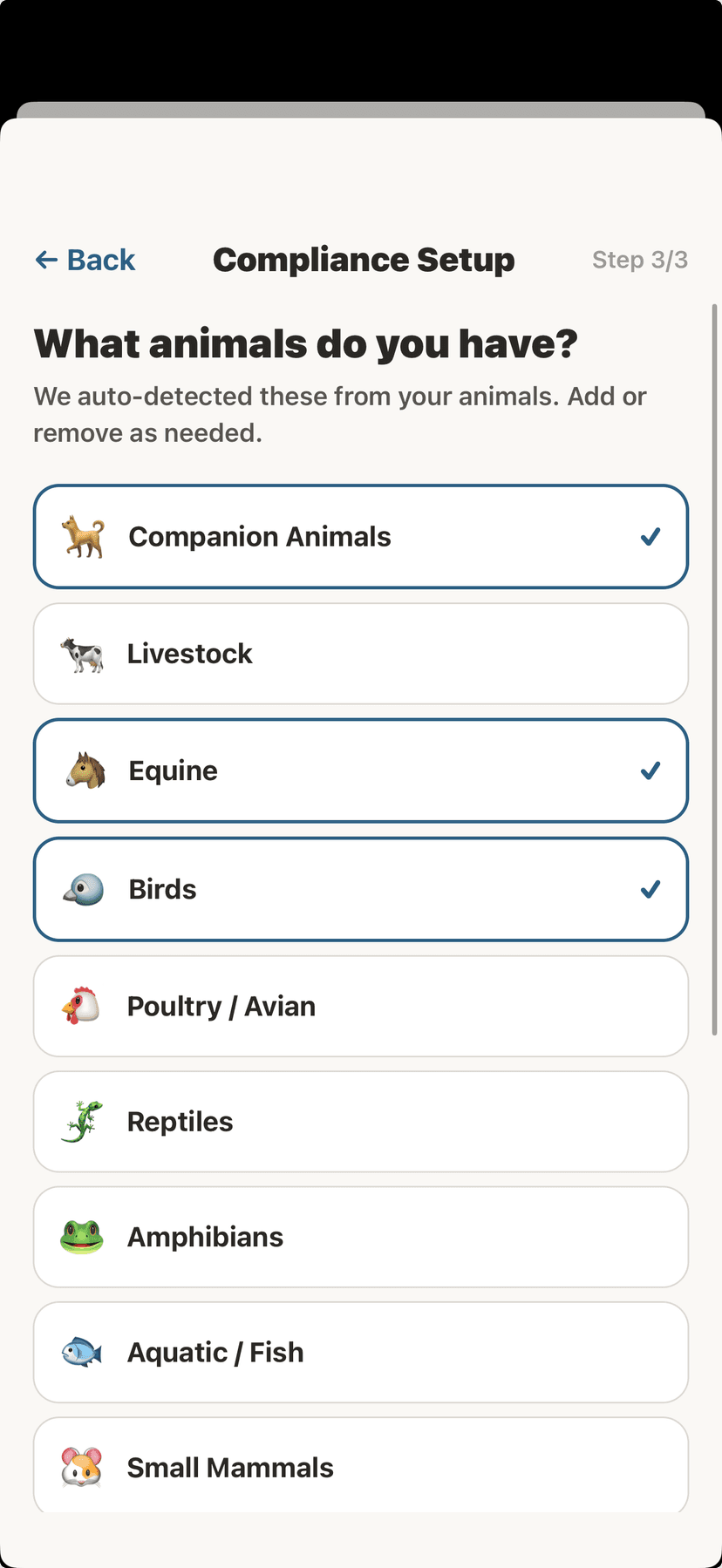
Confirm your animal categories
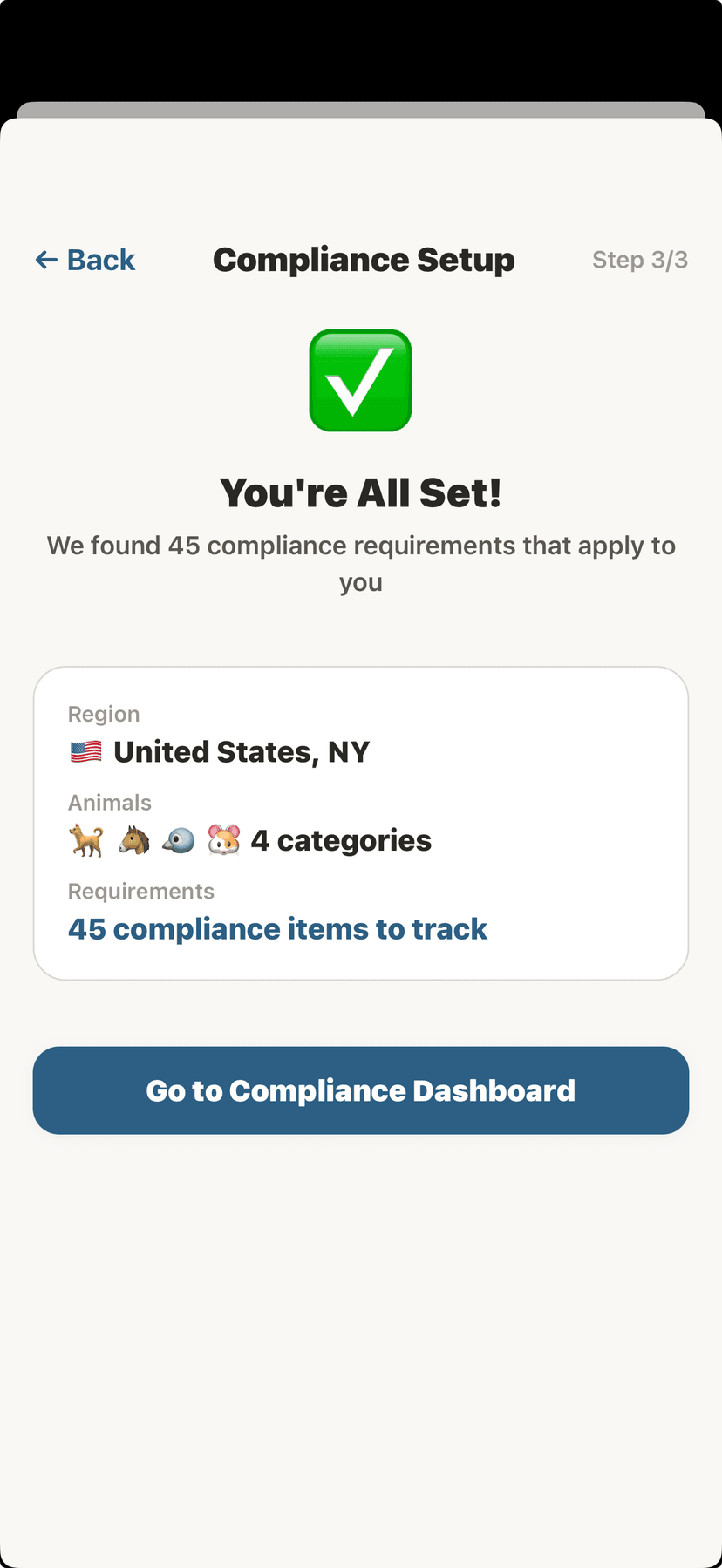
Setup complete — 45 requirements found
📊Compliance Dashboard
The Compliance Dashboard shows your overall compliance score and organizes everything into action items.
- Compliance Score — percentage of requirements met
- Action Required (red) — overdue items that need attention
- Due Soon (amber) — items approaching their deadline
- Up to Date (green) — requirements fully met
- Quick Actions — Log Movement, Generate Report, Premises IDs, View Checklist
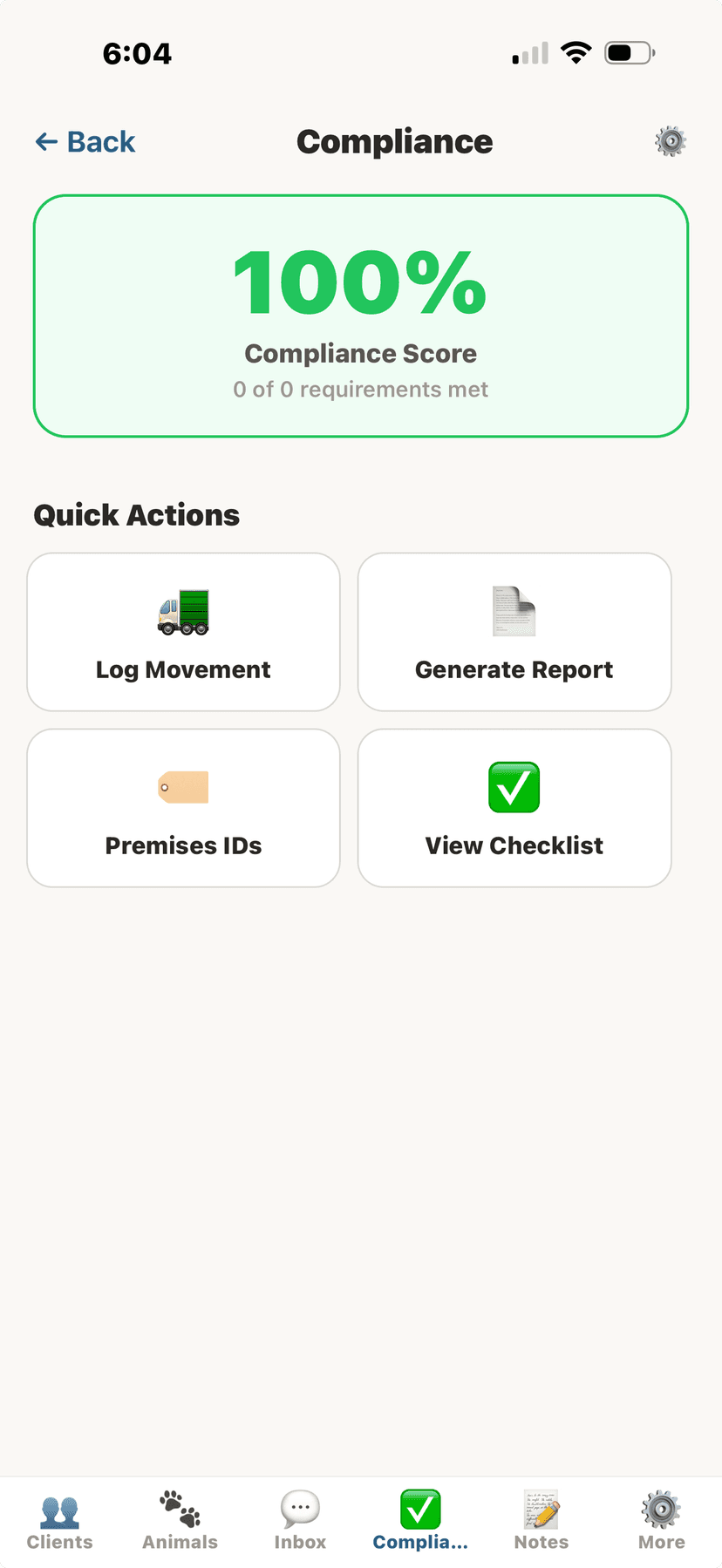
Compliance dashboard with score and quick actions
✅Compliance Checklist
The checklist shows every compliance requirement that applies to you, grouped by category. Each item includes a description, status, and step-by-step instructions.
- Disease Testing — Coggins, brucellosis, TB, EVA, trichomoniasis
- Vaccination — Rabies (dogs, cats, ferrets), brucellosis, Newcastle disease
- Identification — RFID tags, microchips, brands, NPIP flock ID
- Movement & Transport — CVIs, health certificates, import permits
- Registration — Premises ID, NPIP, state registration, USDA licenses
- Reporting — Notifiable diseases, fallen stock, animal bites
- Animal Welfare — USDA AWA, inspection readiness, anti-cruelty
- Import/Export — CITES permits, APHIS permits, international health certificates
- Facility Licensing — Kennel licenses, dealer licenses, zoo licenses
- Breeding Compliance — AKC DNA profiling, breed registry requirements
- Medicine Records — DEA controlled substances, withdrawal periods
- Environmental — Manure management, biosecurity
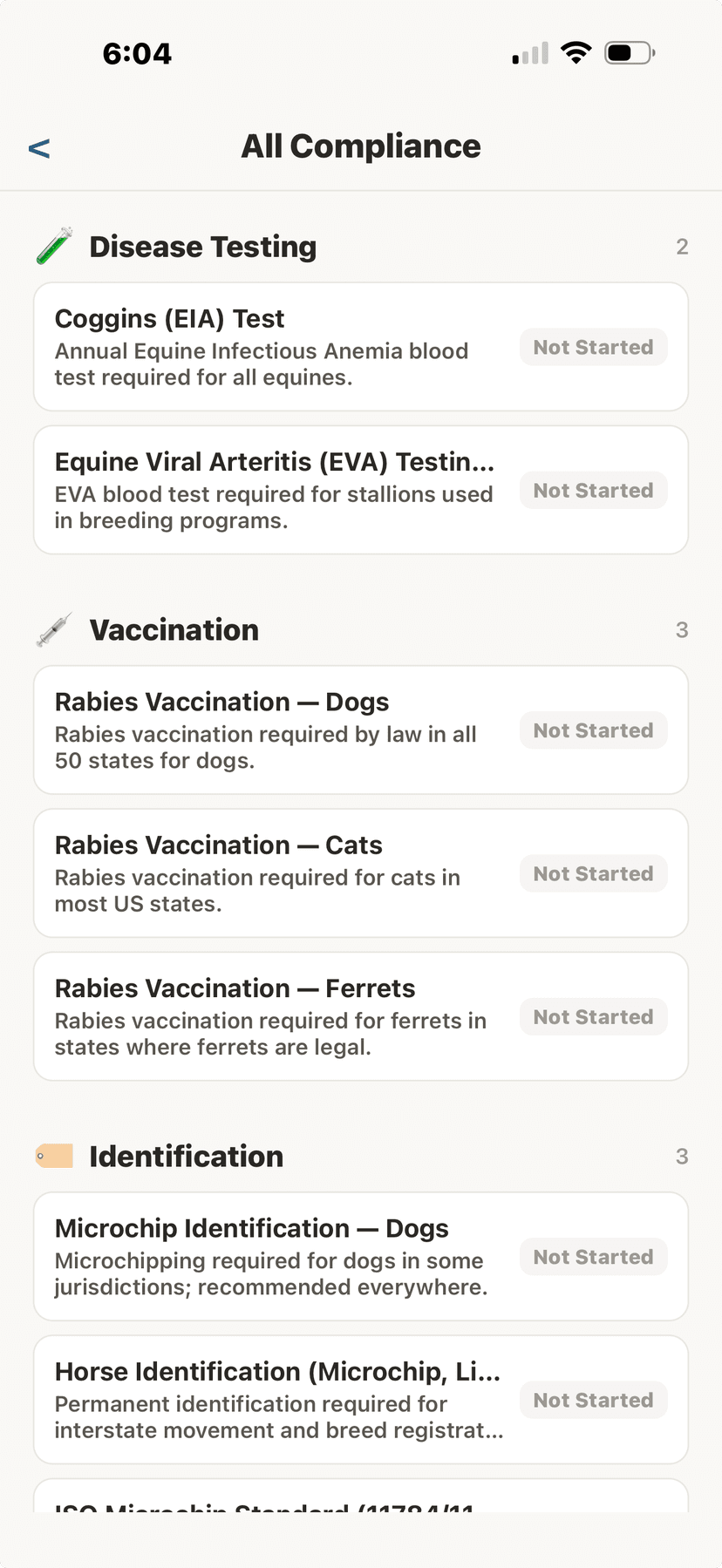
Disease testing and vaccination requirements
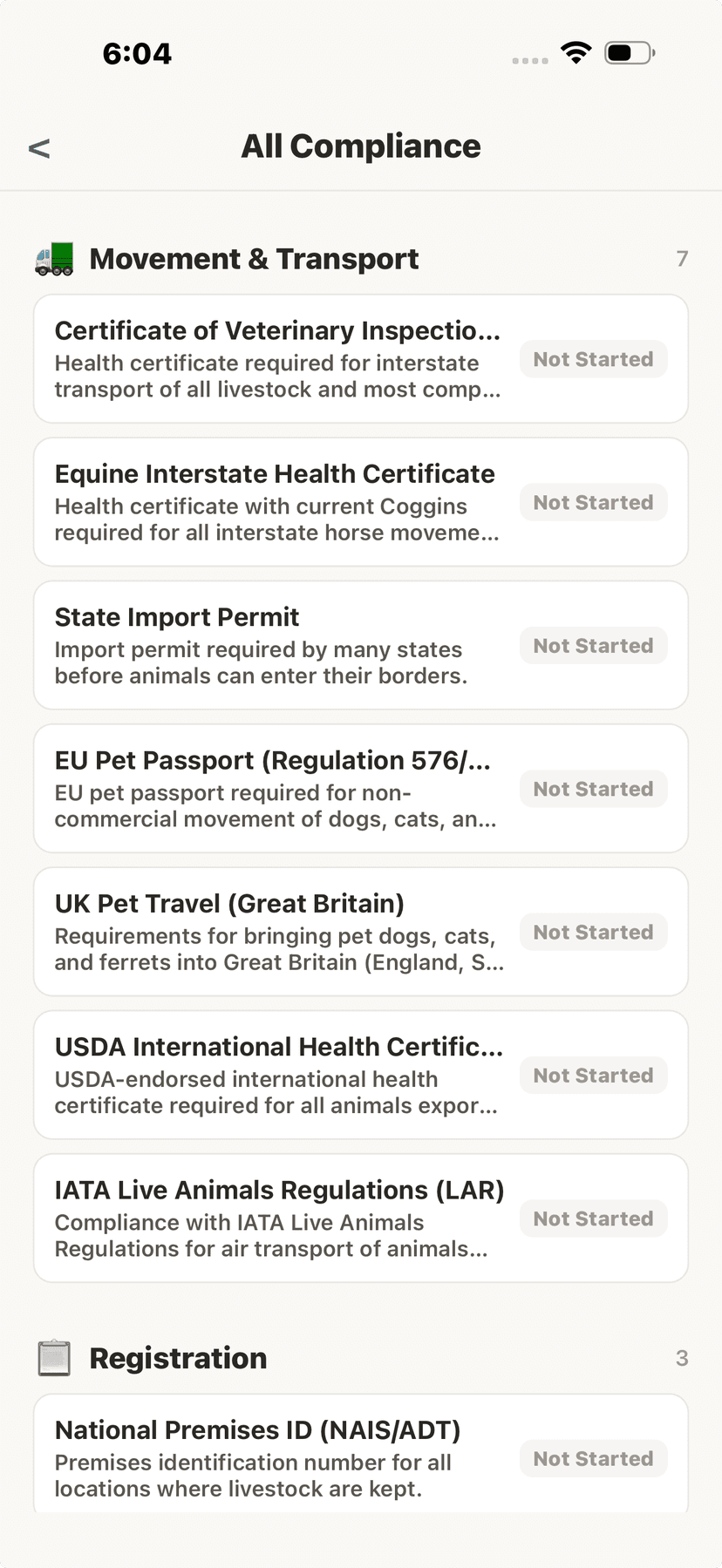
Movement and transport requirements
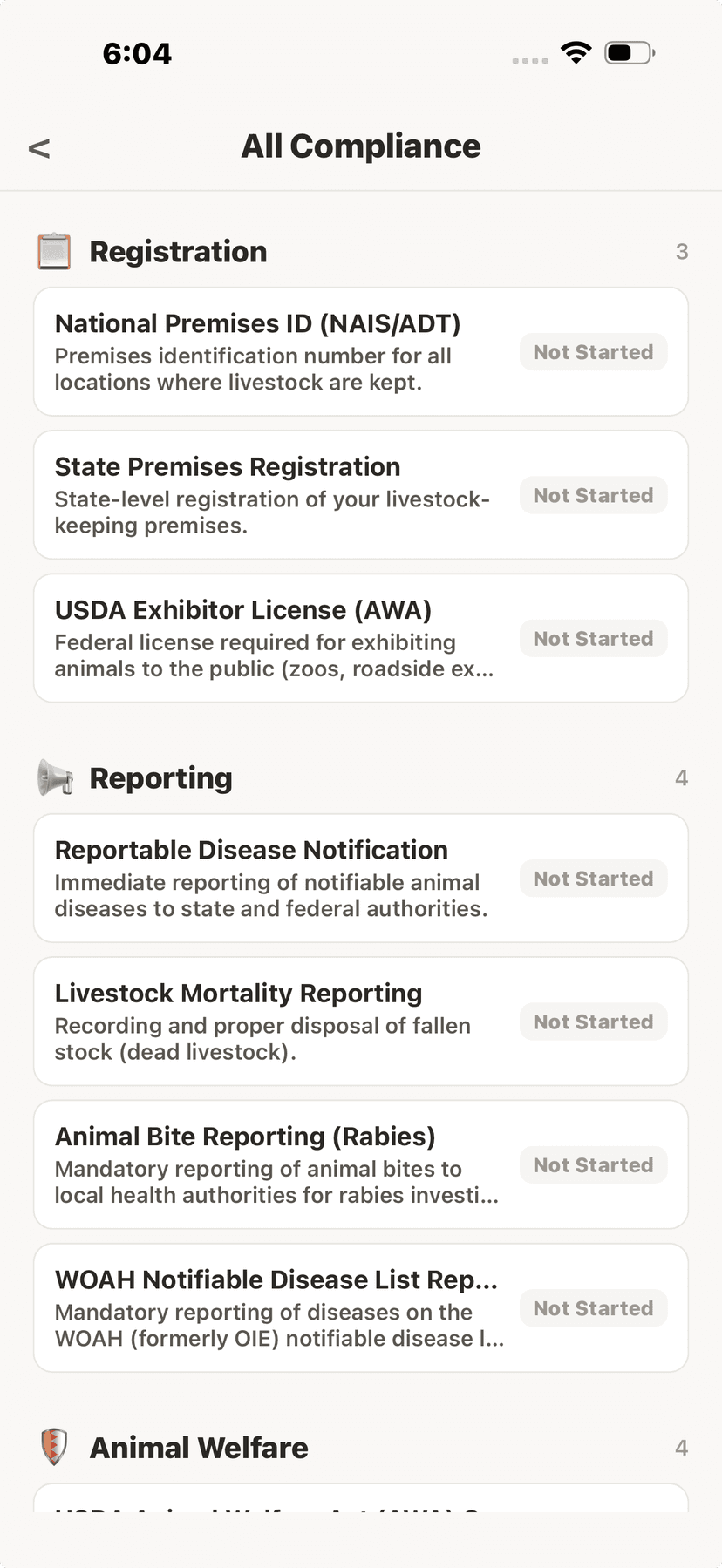
Registration and reporting requirements
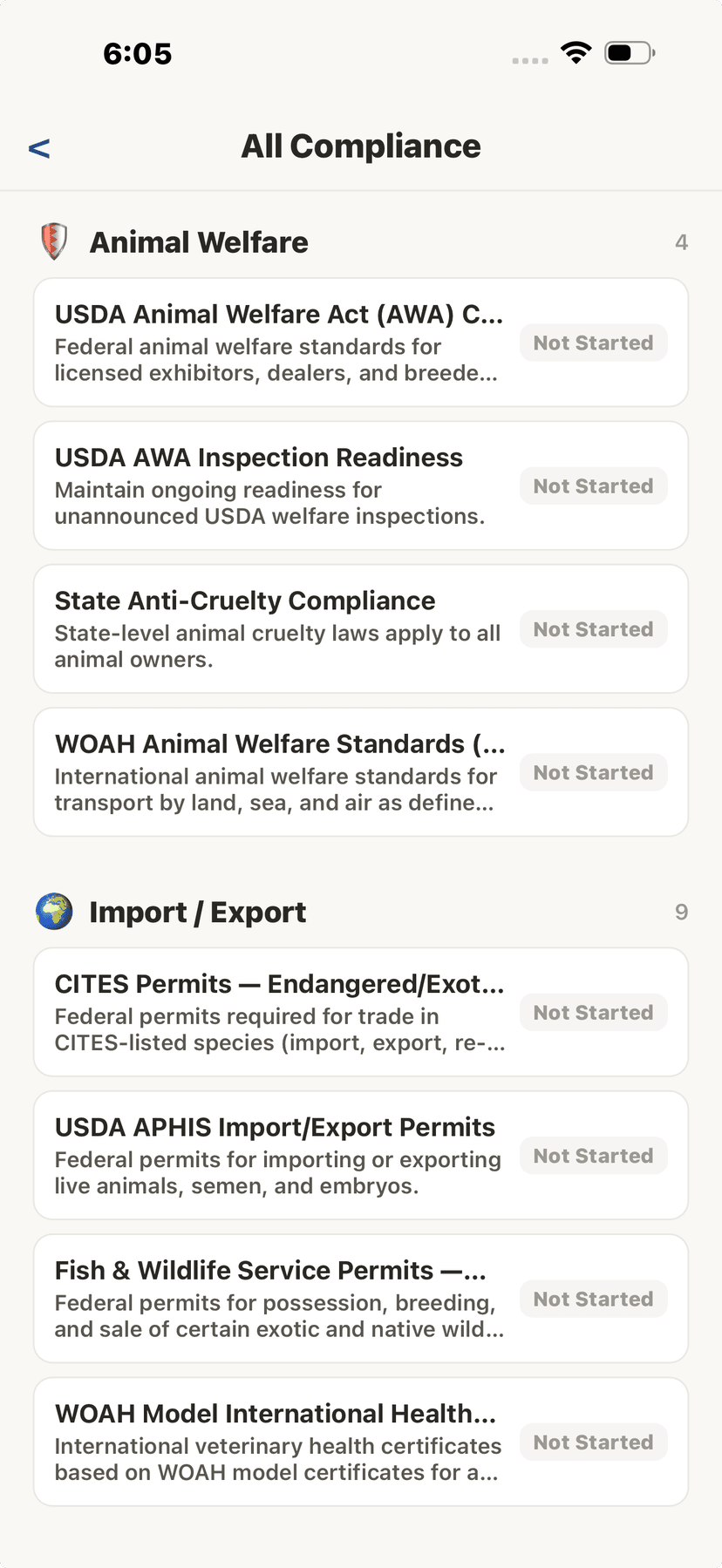
Animal welfare requirements
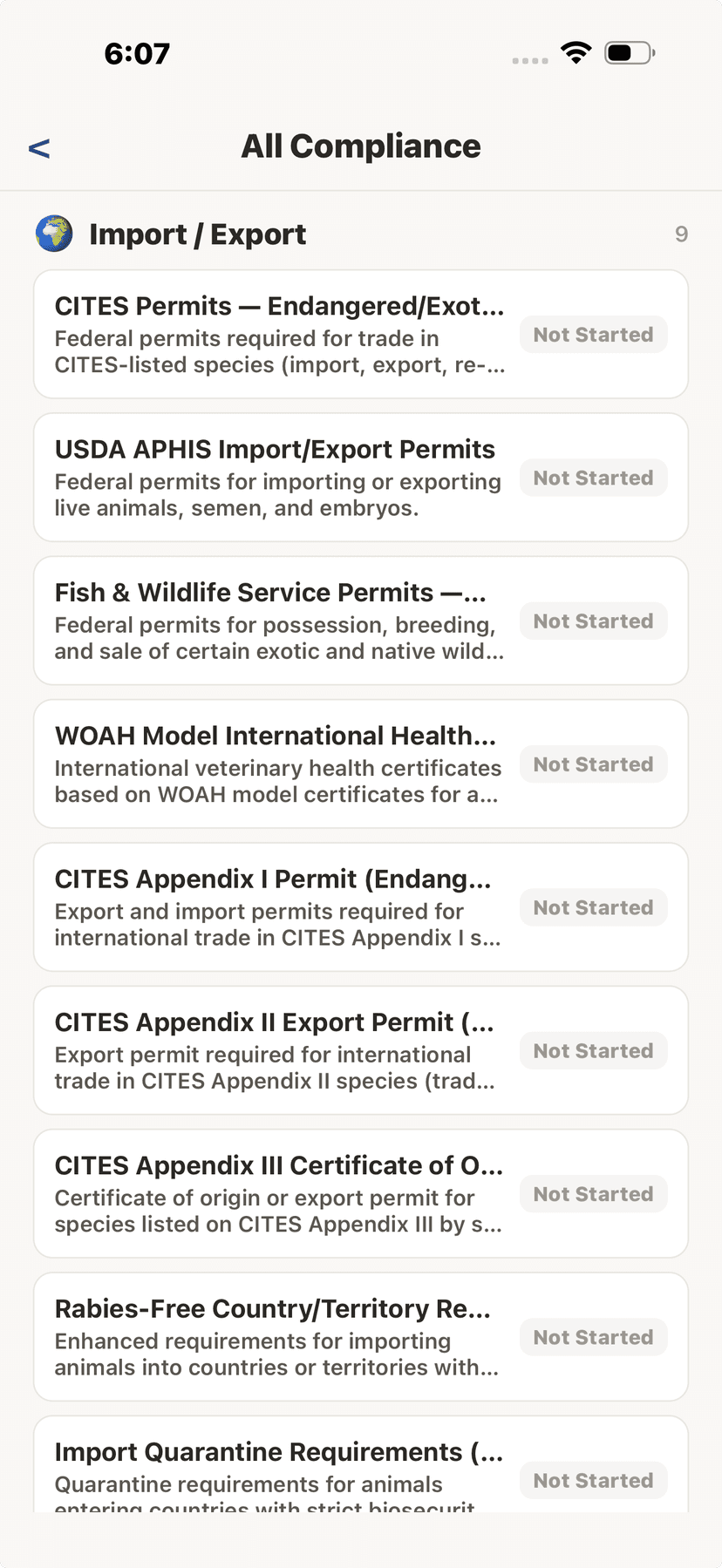
Import/export and CITES requirements
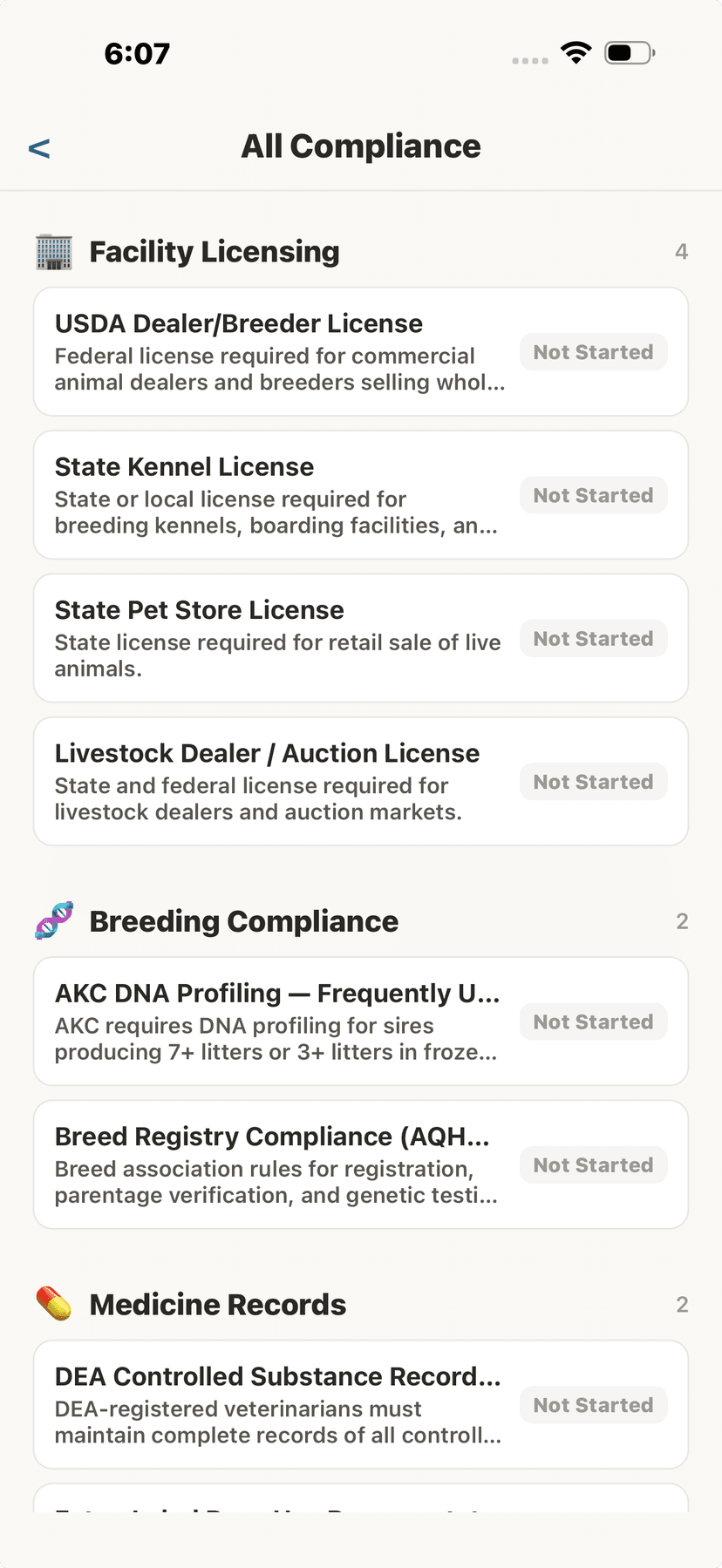
Facility licensing and breeding compliance
📄Generating Compliance Reports
- Tap "Generate Report" from the Compliance Dashboard.
- Choose scope: "All Animals" for facility-wide or "Single Animal" for one animal’s records.
- Select report type: Compliance Summary, Movement Log, Medicine Book, or Herd/Flock Register.
- Optionally set a date range.
- Tap "Generate Report" — the PDF opens for sharing, printing, or saving.
Generate audit-ready PDF and CSV reports covering all your animals in one download. No more generating individual reports for each animal.
💡
Facility-wide reports cover ALL your animals in one download. For a facility with hundreds of animals, this takes minutes instead of hours.
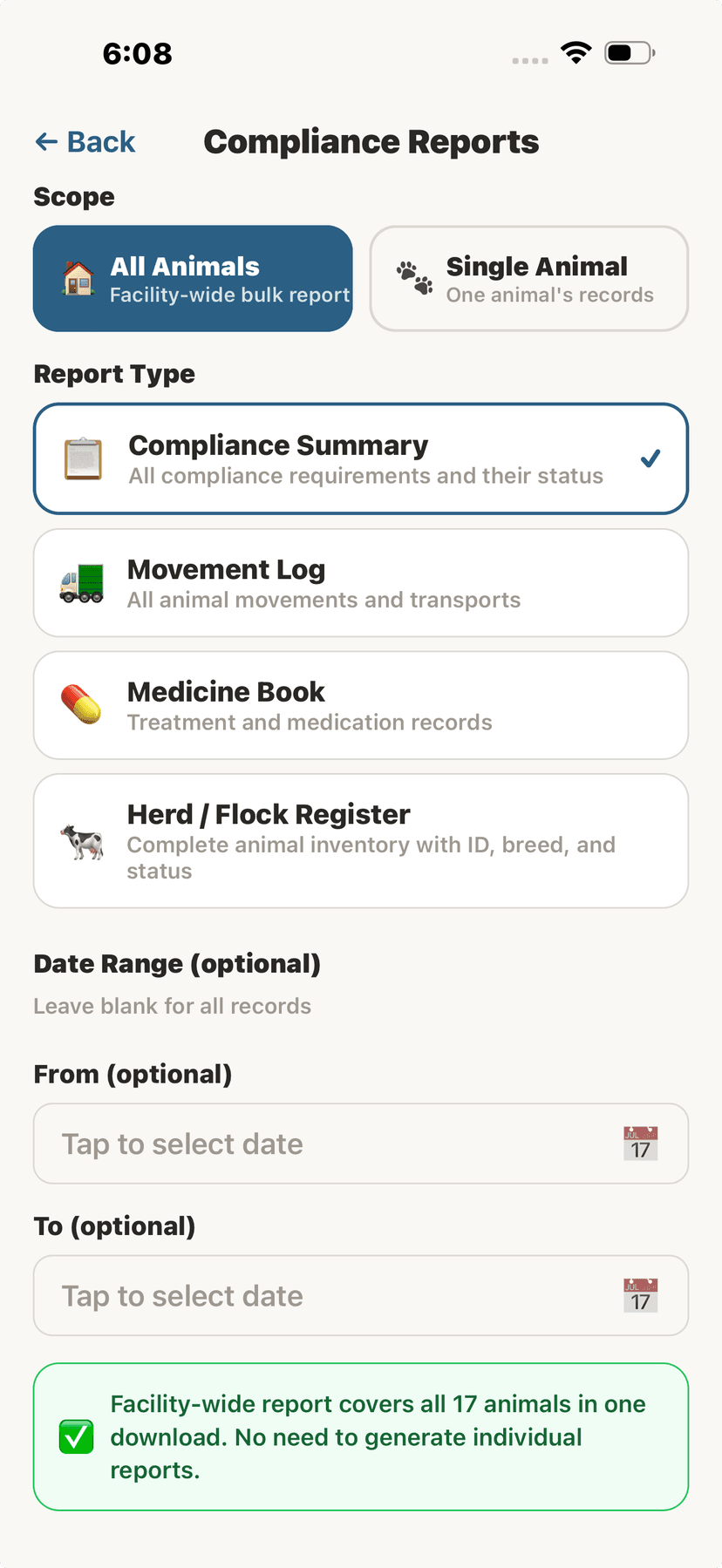
Facility-wide bulk compliance report
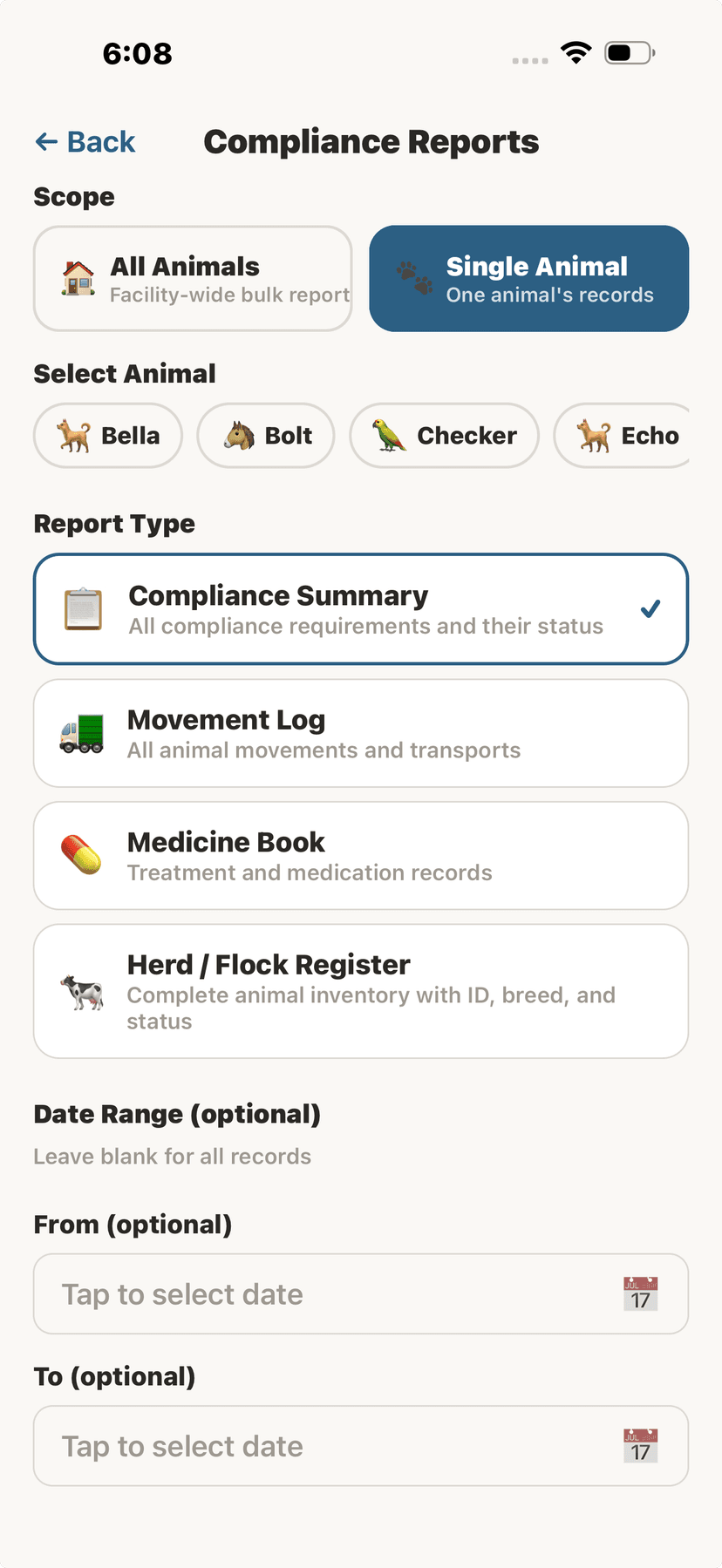
Single animal compliance report
🚛Movement Records
- Tap "Log Movement" from the Compliance Dashboard.
- Enter origin address and region.
- Enter destination address and region.
- Set departure date and optional arrival date.
- Select the purpose (sale, breeding, show, veterinary, grazing, etc.).
- Add transporter details and movement permit number if applicable.
- Tap "Save Movement".
Log animal movements and transport for compliance. AniLedger detects interstate and international movements and shows what additional compliance may be required.
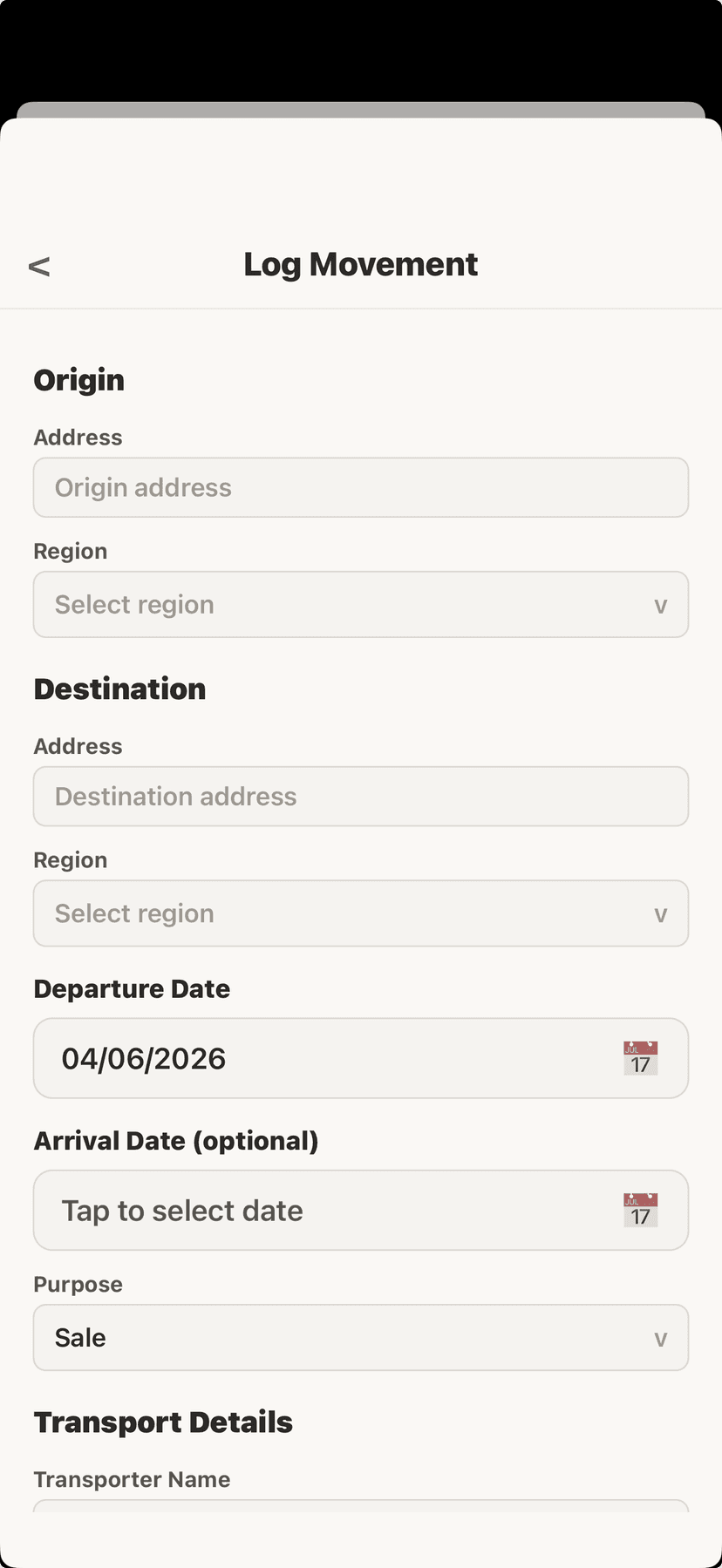
Log a movement record
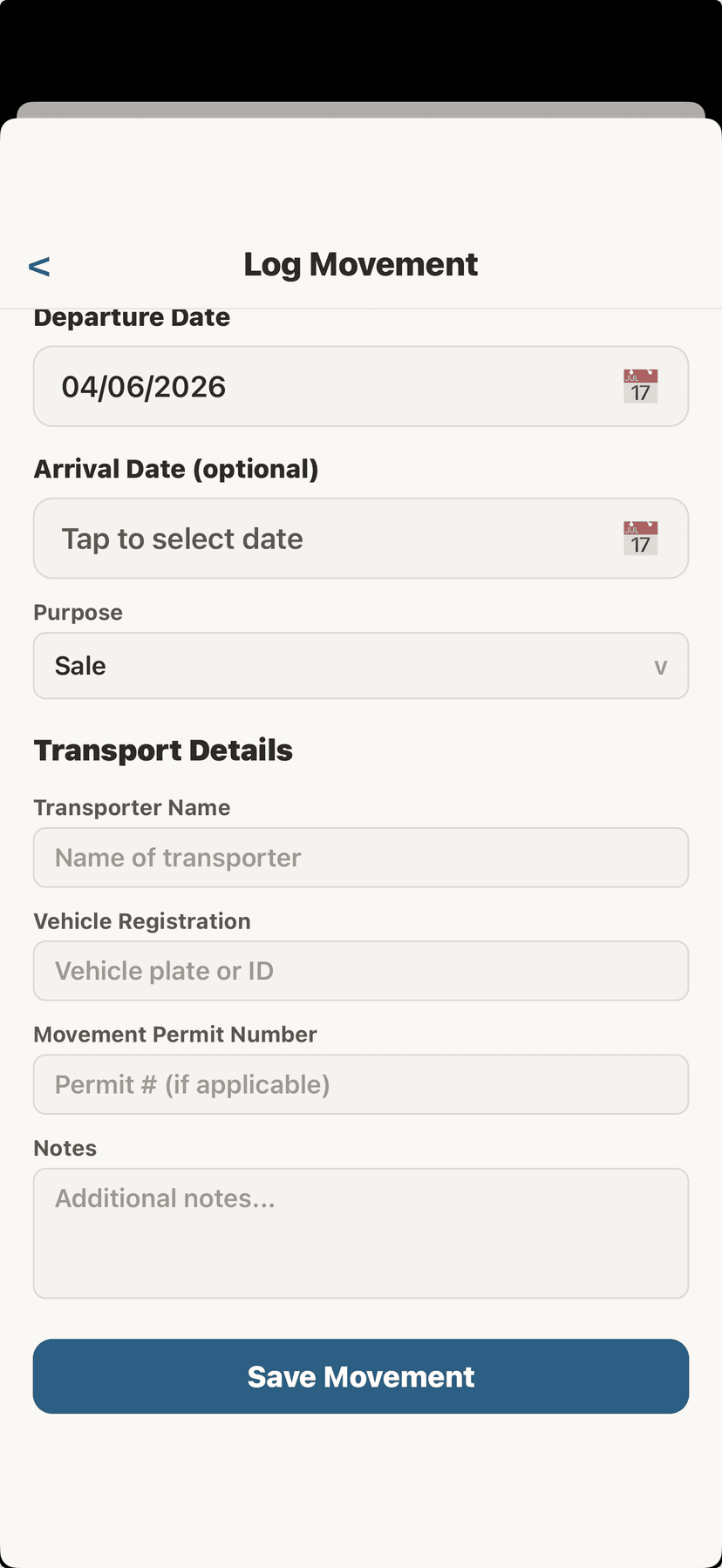
Movement transport details
🏷️Premises Registration
- Tap "Premises IDs" from the Compliance Dashboard.
- Tap "Add Premises ID".
- Select the identifier type for your country.
- Enter the premises identifier, address, and registration date.
- Tap "Save Premises ID".
Manage your property identification codes. Different countries use different systems — AniLedger supports them all.
- Premises ID (US) — NAIS/ADT premises identification
- PIC (Australia) — Property Identification Code
- CPH (UK) — County Parish Holding number
- PID (Canada) — Premises Identification
- NAIT (New Zealand) — National Animal Identification and Tracing
- Herd Number / Flock Number
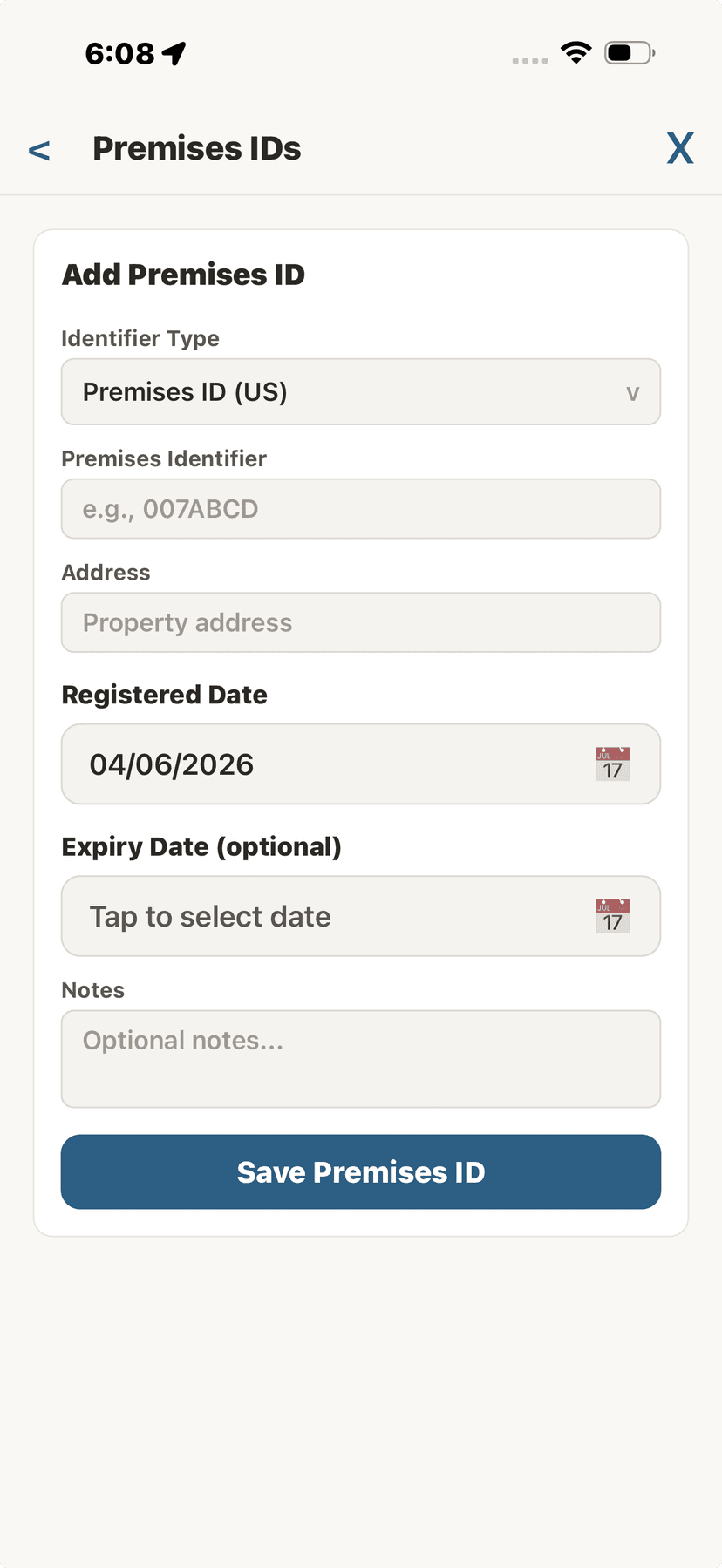
Add a premises ID
🏠Compliance for FacilitiesFacility Only
- Open your Facility Client Portal from Settings.
- Tap the green "Compliance Records" button below the QR scan button.
- From here, access the full compliance dashboard, checklists, reports, and movement logs for your entire facility.
Facilities get a prominent Compliance Records button on the client portal for quick access to facility-wide compliance, bulk reports, and movement logs.
💡
Vets also have a dedicated Compliance tab in the bottom navigation bar for instant access.
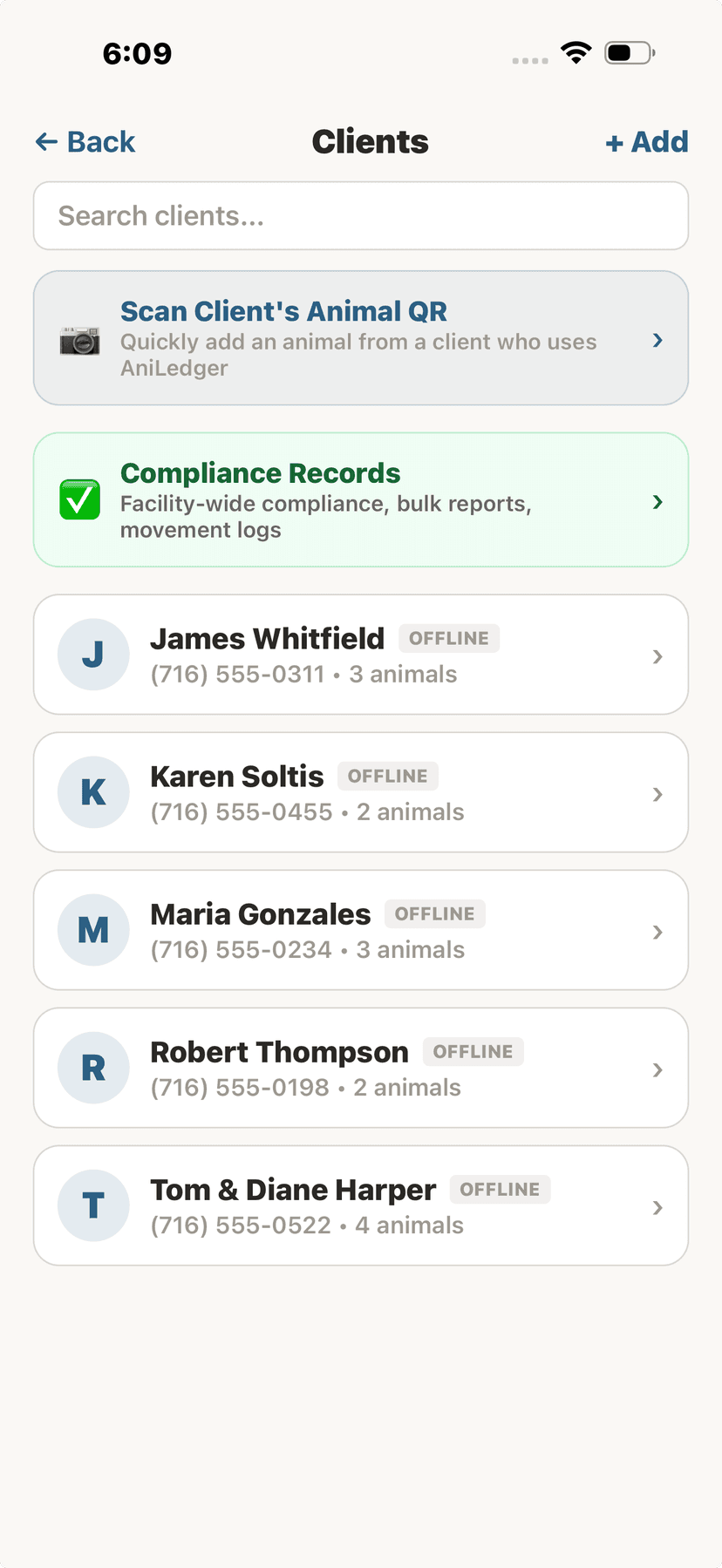
Facility client portal with compliance button